
Learn the Excel skills that run reporting, finance, HR and operations desks in every industry. Get certified, work on live business datasets, and walk out job-ready with an Advance Excel course in Noida built around real office tasks, not just formulas on a slide.











Logical functions (IF, AND, OR, nested IF), lookup functions (VLOOKUP, HLOOKUP, INDEX-MATCH, XLOOKUP), text functions, date and time functions, and array formulas used in real reports.
Advanced filters, custom sort orders, data validation rules, drop-down lists, and error-proofing a sheet before it goes to a manager.
Building pivot tables from raw exports, grouping and slicing data, calculated fields, and turning a pivot into a chart a non-technical stakeholder can read in five seconds.
Goal Seek, Data Tables, Scenario Manager, and simple financial models used in budgeting and forecasting sheets.
Recording a macro, editing it in the VBA editor, and automating a repetitive task that currently eats an hour of someone's week.
Importing and cleaning data from multiple sources, merging tables, and building a data model inside Excel before it ever reaches Power BI.
Conditional formatting, slicers, KPI cards, and assembling everything above into one dashboard sheet a manager can open and understand immediately.

Most “Excel courses” online are recorded playlists of formula tutorials. An advanced Excel training institute in Noida should mean something closer to a workplace simulation: live data, live mistakes, and a mentor correcting your approach before it becomes a habit. Appwars Technologies designed this Advance Excel course in Noida around that gap, so you leave able to build a report from a messy export, not just recite what VLOOKUP stands for.
The institute is based out of C-20, 1st Floor, Noida Sector 2, close to Nirula’s Hotel and Noida Sector 15 Metro, which keeps batches accessible for students and working professionals across Noida and Delhi NCR without a long commute.
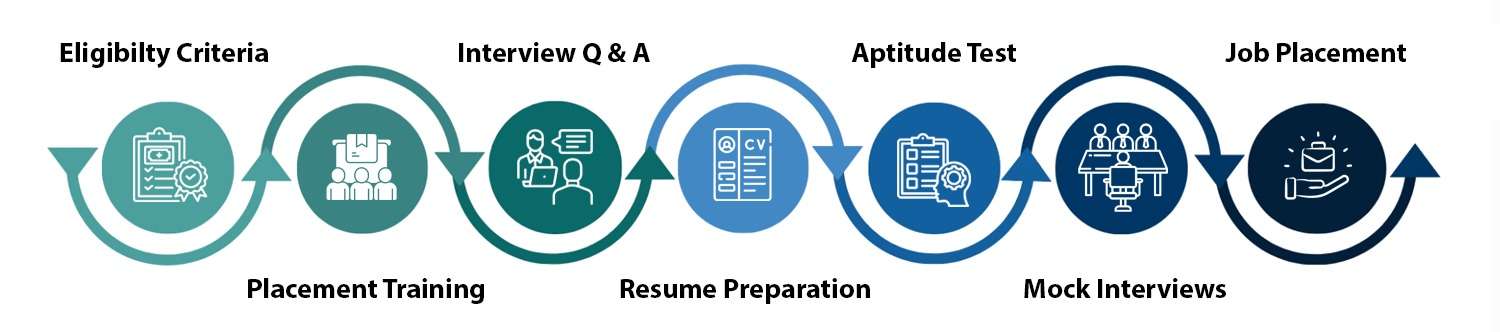
Excel is rarely the only skill listed on a job description, but it’s almost always the first filter. Recruiters scan resumes for “Advanced Excel” before they read anything else on a finance, HR, or operations posting. Placement support here covers resume formatting around that keyword, mock interviews built on real Excel test tasks companies actually give (a pivot table, a lookup formula, a quick dashboard), and introductions to Appwars’ hiring partners once a batch wraps up.
Training built for working professionals and freshers looks different depending on who’s in the room, and this course is structured to hold both. Freshers get the full curriculum from formulas through dashboards. Working professionals who already know the basics can move faster through the early modules and spend more time in pivot tables, Power Query, and macros, which is usually where the actual time-saving happens on the job.
Noida’s job market runs on a mix of IT services, BPOs, finance and shared-service centres, and every one of them runs on spreadsheets somewhere in the workflow. An advanced Excel certification in Noida signals to a hiring manager that a candidate can turn a raw data export into something usable without hand-holding, which is exactly what gets a resume shortlisted for entry to mid-level analyst, coordinator and executive roles across the city’s IT parks and corporate offices.
The demand isn’t limited to one industry either. Finance teams use Excel for budgeting and reconciliation, HR teams use it for payroll and attendance tracking, sales teams use it for pipeline and target reports, and operations teams use it to track everything from inventory to shift schedules. That spread is exactly why job postings across sectors, not just IT, still list Advanced Excel as a requirement rather than a nice-to-have, and why the skill tends to stay useful even as a career moves between industries.
Data entry and MIS executive, HR and payroll coordinator, finance and accounts executive, sales and operations coordinator, junior data analyst, and admin or back-office executive roles across IT, BPO, finance, and retail companies all lean on the same core Excel skill set this course covers. In most of these roles, Excel isn’t a separate task on the job description; it’s the tool the rest of the job runs through, from tracking targets to building the report a manager reads every Monday.
Beyond the core curriculum, batches can go deeper into whichever module maps to a student’s target role: financial modelling and budgeting sheets for finance-track students, HR and payroll templates for HR-track students, and dashboard-and-reporting depth for anyone aiming at an analyst role next.
Live, instructor-led batches instead of pre-recorded content. A curriculum built around real business tasks instead of formula lists. Free demo class before enrolment. Mentor access that continues after the batch ends. Placement support that runs through resume, mock interview, and referral stages, not just a certificate at the end.
Fill the enquiry form on this page or call the counselling number, sit in on a free demo class, get your questions answered on batch timing and fees, and confirm your seat once you’re ready to start. There’s no pressure to decide during the demo itself; the point of sitting in first is to see how the trainer teaches and whether the pace suits you before any commitment is made.
Placement support doesn’t end the day a batch finishes. Resume reviews, mock interviews, and introductions to hiring partners continue until a student is placed, not just for a fixed window after the course ends.
Batches run as both weekday and weekend tracks, so working professionals and students can pick a schedule that fits around a job or college timetable. Exact batch dates and duration are confirmed at enrolment based on the current schedule.
Students, freshers, and working professionals from any academic background (commerce, arts, or science) can join. No coding background is required. Basic computer familiarity is enough to start, and the course builds Excel skill from there, module by module, so nobody is expected to arrive already knowing formulas.
Got more questions?
Contact us and our academic counsellor will get in touch with you shortly
EXCELLENT Based on 1354 reviews
 Posted on Google
 Vijay Bhandari
Trustindex verifies that the original source of the review is Google.
Writing this for " Amit Yadav Sir ": The webinar held on 25-10-2026 on RAG Technology was an excellent learning experience. Sir explained every concept clearly and in detail, demonstrating strong subject knowledge and excellent teaching skills. What impressed me most was his patience and genuine concern for students, as he actively encouraged questions and took the time to resolve our doubts. His dedication and student-friendly approach truly deserve appreciation and recognition. I hope the company acknowledges his efforts for his outstanding contribution. Keep up the great work!Posted on Google atharva rai
Trustindex verifies that the original source of the review is Google.
I recently completed a comprehensive training session conducted by Ankit Yadav at AppWars Technologies, focusing on Retrieval-Augmented Generation (RAG) and its integration with Generative AI. The session was exceptionally well-structured, bridging the gap between foundational theory and practical implementation. Ankit is a brilliant instructor who brings immense industry expertise to the table. He has a unique ability to break down complex architectural concepts into highly digestible modules, making it accessible for both beginners and seasoned developers.Posted on Google AartiGood experiencePosted on Google
 AnkushVery good presentation by sir, he taught us very important knowledge for future. I am greatfull to attend the workshop. AT DPosted on Google
 vansh KrA great Workshop on RAG by Ankit sir , very beginner friendly language and good interactionPosted on Google
 Muskan MalikGreat Experience, we learn alot about Gen AI in Ambedkar institute of technology, Especially thanks to sir for teaching politely and very efficiently.Posted on Google
 Aditya SharmaVery Good experience and explainatiomVerified by TrustindexTrustindex verified badge is the Universal Symbol of Trust. Only the greatest companies can get the verified badge who has a review score above 4.5, based on customer reviews over the past 12 months. Read more

Talk to our experts and choose the right course and career path for your future.