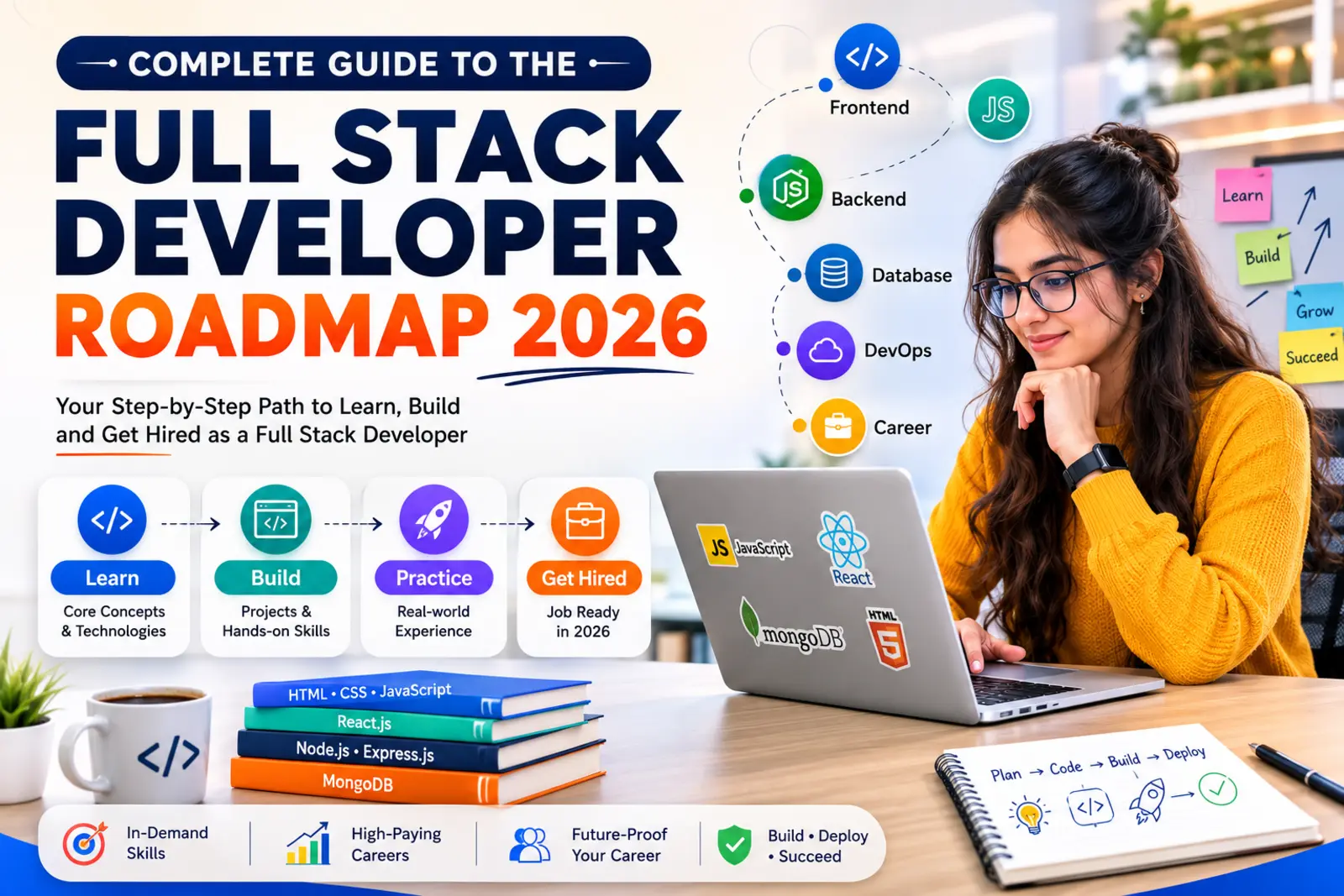
A full stack developer roadmap sounds intimidating until you break it into pieces you can actually chew. I’ve watched people go from “what’s a variable” to landing their first developer job in about six months, and the pattern is always the same: they stop jumping between fifty tutorials and follow one clear path.
A full stack developer is someone who builds both sides of a website or app, the part users click on and the part that stores their data. In 2026, that skill set is one of the strongest bets you can make for a tech career. Companies don’t want to hire three specialists when one person can wire the whole thing together.
This guide walks you through that exact path. What a full stack developer actually does, why 2026 is a genuinely good year to start, and a step by step roadmap covering HTML, CSS, JavaScript, React, Node.js, MongoDB, deployment, and interview prep. I’ll also cover salaries, tools, common beginner mistakes, and a month by month timeline so you know what “on track” looks like.
What is a full stack developer?
A full stack developer builds and maintains both the frontend (what you see in the browser) and the backend (what runs on the server, out of sight). Think of a restaurant. The frontend is the dining room, the menu, the lighting, how the tables are arranged. The backend is the kitchen: the orders, the inventory, the actual cooking. A full stack developer can work both stations.
Responsibilities of a full stack developer
Day to day, this usually means building user interfaces with HTML, CSS, and JavaScript, writing server logic with something like Node.js, designing and querying databases, building APIs that connect the two sides, and fixing bugs wherever they show up. Nobody hands you a ticket that says “frontend only.” You’re expected to trace a bug from the button click all the way down to the database row.
Frontend vs backend: what’s actually different
The frontend runs in the user’s browser. It’s HTML for structure, CSS for style, JavaScript for behavior, and usually a framework like React on top. The backend runs on a server. It handles authentication, business logic, and talking to the database. A request from your browser hits the backend, the backend queries the database, and the response travels back to render on your screen. That round trip is the whole job, condensed into one sentence.
Why companies hire full stack developers
Startups especially love full stack hires because the budget is tight and speed matters. One developer who can ship a feature end to end, from the button to the database table, is worth more to a five person team than two specialists who need a meeting to coordinate. Even larger companies increasingly want engineers who understand the full picture, because it cuts down on the “that’s not my part of the codebase” problem.
Why choose full stack development in 2026?
Demand for full stack developers hasn’t slowed down. Job postings for the role consistently rank among the top skill requests on LinkedIn and Naukri, and that’s not changing anytime soon, because every company building a website or app needs this exact skill set.
The AI era, oddly enough, works in your favor here. Tools like GitHub Copilot and Claude speed up how fast you write code, but somebody still has to understand the architecture, debug the weird edge case, and make the product decisions. Full stack developers who know how to use AI tools well are shipping faster than ever, not becoming replaceable by them.
Remote work is still very much alive for this role. A full stack skill set travels well because the tools (React, Node, MongoDB) are the same whether you’re in Bangalore, Berlin, or Toronto. Freelancing is realistic too. Platforms like Upwork and Contra are full of full stack contracts, everything from a small business website to a SaaS MVP.
Startups need generalists, and that’s exactly what full stack developers are. If you’ve ever wanted to build your own product on the side, this is the skill set that lets you do it without hiring a team. And salaries have grown steadily. I’ll break down real numbers later in this guide.
Frontend vs backend vs full stack: a quick comparison
| Aspect | Frontend developer | Backend developer | Full stack developer |
| Main focus | User interface and experience | Server logic and data | Both sides combined |
| Core languages | HTML, CSS, JavaScript | Node.js, Python, Java | HTML, CSS, JS, Node.js |
| Works with | React, Vue, Figma designs | Databases, APIs, servers | Everything on both lists |
| Typical output | Web pages, UI components | REST APIs, business logic | Complete working applications |
| Best for | Design-minded thinkers | Logic and systems thinkers | People who like seeing the whole picture |
The complete full stack developer roadmap, step by step
This is the part most people actually came here for. Twelve steps, in order, from zero to job ready.
Step 1: Learn how the internet actually works
Before you write a single line of code, spend a week understanding what happens when you type a URL and hit enter. Your browser sends a request, DNS translates the domain name into an IP address, that IP address points to a server, and the server sends back HTML, CSS, and JavaScript files that your browser renders. HTTPS is the same process as HTTP, just encrypted, which is why every serious site uses it now.
You don’t need to memorize networking protocols. You just need the mental model, because it makes everything after this click into place faster.
Step 2: HTML5
HTML is the skeleton of every web page. Tags, elements, forms, semantic structure like <header>, <nav>, and <article> instead of generic <div> soup. The MDN HTML documentation is the best free reference here, and honestly, most working developers still check it regularly.
Spend two weeks here. Build a few static pages: a resume page, a simple landing page. Nothing fancy yet.
Step 3: CSS3
CSS makes that skeleton look like an actual website. Learn selectors and the box model first, then move into Flexbox for one-dimensional layouts and CSS Grid for two-dimensional ones. Responsive design comes right after, media queries, mobile-first thinking, so your site doesn’t fall apart on a phone screen.
Practical tip: rebuild a website you already use, like a simple blog or a product page, purely with HTML and CSS. Copying real layouts teaches you more than following twenty tutorials.
Step 4: JavaScript
This is where things get real. JavaScript is what makes a page interactive instead of just decorative. Start with variables, functions, and how the DOM (Document Object Model) works, since that’s how JavaScript changes what’s on the screen.
Then move into ES6+ features: arrow functions, destructuring, template literals. After that, async/await and the Fetch API, which let your page talk to servers and APIs without freezing up while it waits. The MDN JavaScript guide covers all of this in depth.
Give this stage real time, at least four to five weeks. JavaScript is the backbone of everything that follows, both frontend and backend.
Step 5: Version control with Git and GitHub
Git tracks changes to your code. GitHub hosts that code online and lets you show your work to employers. Learn the basics: commit, push, pull, branch, merge. Then create a GitHub profile and actually use it, every project you build from here on goes there.
Recruiters check GitHub profiles. An empty one is a red flag. A messy one full of half-finished projects is honestly fine, it shows you were building.
Step 6: A frontend framework, React.js
Once JavaScript feels comfortable, move into React. It’s the framework most companies ask for, and once you understand it, picking up Vue or Angular later is much easier. Learn components, props, and state first, then React Router for multi-page navigation, then Hooks (useState, useEffect) for managing behavior inside components.
State management is the trickier part. Start with React’s built-in tools before reaching for anything external like Redux. The official React documentation is genuinely well written and worth reading start to finish, not just skimming.
Step 7: Backend development with Node.js and Express
Node.js lets you run JavaScript on the server, which means you can use one language across your entire stack. Express.js sits on top of Node and makes building REST APIs far less repetitive.
Learn how routes work, how to handle requests and responses, and how authentication actually functions using JWT (JSON Web Tokens), which is how a server remembers a user is logged in without storing a session on every single request. The Node.js docs and Express docs are both solid starting points.
Step 8: Databases, MongoDB and SQL basics
Every application needs somewhere to store data. MongoDB is a document-based database that pairs naturally with JavaScript, since data is stored in a format that looks a lot like JSON. Learn basic SQL too, since plenty of companies still run on PostgreSQL or MySQL, and understanding both relational and non-relational databases makes you far more hireable.
Mongoose sits on top of MongoDB and gives your data structure and validation rules. Check the MongoDB documentation once you’re querying real collections, not just reading theory.
Step 9: Build real projects
Tutorials teach you syntax. Projects teach you how to actually build. Start small and grow the complexity.
A portfolio website comes first, since you’ll need one anyway. Then a to-do app, which teaches CRUD operations (create, read, update, delete) in a low-stakes way. After that, a blog website with a real database behind it, then an e-commerce site with cart and checkout logic, a chat application to learn real-time features, a job portal with user roles and applications, and eventually something like a small learning management system that ties everything together.
Seven projects sounds like a lot. It isn’t, if you space them across the roadmap instead of doing them all at the end.
Step 10: Deployment
A project sitting on your laptop doesn’t count for much. Push your frontend to Vercel or Netlify, both free for personal projects and genuinely simple to use. Your backend can go on Render, which handles Node servers well without a steep learning curve. GitHub ties the whole deployment pipeline together, since most of these platforms deploy directly from a GitHub repo.
Step 11: Basic DevOps
You don’t need to become a DevOps engineer, but knowing the fundamentals makes you a stronger hire. Docker lets you package your app so it runs the same way everywhere, which solves the classic “it works on my machine” problem. CI/CD (continuous integration and continuous deployment) automates testing and deployment every time you push code. And basic cloud knowledge, AWS or Google Cloud fundamentals, helps you understand where your app actually lives once it’s live.
Step 12: Interview preparation
This is the stage people rush, and it costs them. Start with DSA (data structures and algorithms) basics, arrays, strings, and basic problem solving on a platform like LeetCode. You don’t need to be a competitive programmer, just comfortable enough to talk through a problem out loud.
Review common JavaScript interview questions (closures, hoisting, the event loop), React questions (what’s a key prop for, when does a component re-render), and Node.js questions (what’s middleware, how does Express handle errors). Add basic system design too, how you’d structure a simple app at scale, since even junior interviews are starting to touch on this.
Skills every full stack developer needs
Technically, you need HTML, CSS, JavaScript, a frontend framework, a backend runtime, database knowledge, Git, and basic deployment skills. That much is table stakes.
What separates people who get hired from people who stay stuck is the soft skill side. Communication matters more than most beginners expect, because you’ll spend real time explaining technical decisions to non-technical teammates. Problem solving under uncertainty matters too, since real bugs rarely match the clean examples from tutorials. Time management, especially if you’re learning alongside a job or college, decides whether six months turns into eighteen. And a genuine willingness to read documentation instead of only watching videos will save you more hours than any single course.
Best tools every full stack developer should learn
VS Code is the editor almost everyone uses, lightweight and endlessly extensible. GitHub hosts your code and doubles as your public portfolio. Postman lets you test APIs without building a frontend first, which speeds up backend development considerably. Chrome DevTools is where you’ll debug more frontend issues than you’d expect, inspecting elements, checking network requests, reading console errors.
Figma matters even if you’re not a designer, since reading a design file and translating it into code is a daily task for most developers. npm manages your JavaScript packages and dependencies. And MongoDB Atlas gives you a free cloud-hosted database, so you’re not stuck running MongoDB locally the whole time.
Common mistakes beginners make
Tutorial hopping is the big one. Starting a new course every time the current one gets hard feels like progress, but it isn’t, it’s avoidance dressed up as learning. Pick one resource per topic and finish it.
Skipping JavaScript fundamentals to jump straight into React is another common trap. React makes way more sense once you actually understand closures, the DOM, and asynchronous code. Trying to learn everything at once, React and Node and MongoDB and Docker simultaneously, spreads your attention so thin that nothing sticks.
Not building projects is probably the costliest mistake. Watching someone else code for forty hours teaches you far less than building something broken for four hours and fixing it yourself. And ignoring Git from day one means you’ll be relearning it later under pressure, right when you actually need it for a real project.
Full stack developer salary in 2026
Salaries vary a lot by country, experience, and company size, but here’s a realistic range based on current market data.
| Country | Entry level (annual) | Mid level (annual) | Senior level (annual) |
| India | ₹4-8 LPA | ₹10-18 LPA | ₹20-40 LPA |
| USA | $65,000-85,000 | $95,000-130,000 | $140,000-180,000+ |
| UK | £30,000-40,000 | £45,000-65,000 | £70,000-95,000 |
| Canada | CAD 55,000-70,000 | CAD 75,000-100,000 | CAD 110,000-140,000 |
| Germany | €45,000-55,000 | €60,000-80,000 | €85,000-110,000 |
These are approximate ranges, and actual offers depend heavily on the city, the company’s funding stage, and your negotiation. Treat this as a general benchmark, not a promise.
Full stack developer career opportunities
A full stack skill set opens more doors than the job title suggests. You could work as a Full Stack Developer directly, or narrow into Frontend Developer or Backend Developer roles if you find you prefer one side. Software Engineer and Web Developer titles often expect the same core skills under a different name. MERN Stack Developer roles specifically want your React, Node, and MongoDB combination. And Technical Consultant roles, especially at agencies, value developers who can talk to clients and build the solution themselves.
Learning timeline: month by month
| Month | Focus | What you should be able to do by the end |
| Month 1 | Internet basics, HTML, CSS | Build a static, responsive multi-page website |
| Month 2 | JavaScript fundamentals to ES6+ | Add interactivity, manipulate the DOM, fetch data from an API |
| Month 3 | Git, GitHub, React basics | Build and deploy a small React app with routing |
| Month 4 | Node.js, Express, REST APIs | Build a working backend with authentication |
| Month 5 | MongoDB, full project builds | Connect frontend and backend into two or three complete projects |
| Month 6 | Deployment, DevOps basics, interview prep | Have a deployed portfolio, three to five live projects, and start applying |
Six months assumes consistent, near-daily practice, roughly 2 to 3 hours on weekdays and more on weekends. Slower is fine too. The order matters more than the speed.
Free and paid learning resources
For documentation, MDN Web Docs covers HTML, CSS, and JavaScript thoroughly and stays current. The React docs and Node.js docs are both written for learners, not just reference lookups. For structured courses, freeCodeCamp offers a genuinely complete free curriculum, and platforms like Udemy, Scrimba, and The Odin Project all have strong full stack tracks if you prefer paid, more guided structure. YouTube channels like Traversy Media and Web Dev Simplified are solid for filling in specific gaps once you know roughly what you’re looking for.
Conclusion
Twelve steps, six months, and a stack of real projects, that’s the whole roadmap stripped down to its parts. HTML and CSS build the shell, JavaScript brings it to life, React shapes the frontend, Node and Express and MongoDB handle everything behind the scenes, and deployment puts it in front of actual users.
None of this requires talent you don’t already have. It requires picking one path and sticking with it instead of restarting every few weeks. Start with Step 1 today, build in public on GitHub, and six months from now you’ll be applying with a portfolio that actually proves what you can do.
Frequently asked questions
1. How to become a full stack developer?
Learn HTML, CSS, and JavaScript first, then a frontend framework like React, then backend basics with Node.js and Express, then a database like MongoDB. Build real projects along the way instead of waiting until the end, and deploy them so employers can actually see your work.
2. How long does it take to become a full stack developer?
Around 6 months with consistent daily practice is realistic for a beginner with no coding background. Some people take longer, especially while working a full-time job, and that’s completely normal.
3. Do I need a computer science degree to become a full stack developer?
No. Plenty of working full stack developers are self-taught or came from bootcamps. What matters to employers is your portfolio and your ability to solve problems, not your degree.
4. Which is better, MERN stack or Python full stack?
Neither is objectively better. MERN (MongoDB, Express, React, Node) keeps you in JavaScript across the whole stack, which is faster to learn initially. Python full stack (often with Django or Flask) suits people already interested in data science or backend-heavy work. Pick based on the jobs available in your target market.
5. Is full stack development still in demand in 2026?
Yes. Full stack roles remain among the most requested developer positions, since companies want engineers who can work across the entire application rather than just one layer.
6. Can I become a full stack developer without any coding background?
Yes, and it’s one of the more approachable specializations to start from zero, precisely because the resources for beginners are so extensive and mostly free.
7. What programming language should I learn first for full stack development?
JavaScript, since it works on both the frontend and backend and lets you build a complete application using one language.
8. Do I need to learn both SQL and MongoDB?
Learning both makes you more flexible. MongoDB is more common in MERN stack jobs, but plenty of companies still run on SQL databases like PostgreSQL, and knowing both signals versatility to employers.
9. How many projects do I need before applying for jobs?
Three to five solid, deployed projects with clean code on GitHub is usually enough to start applying. Quality and completeness matter more than quantity.
10. Is full stack development a good career choice for career changers?
Yes. It’s one of the more realistic paths into tech from a non-technical background, since the barrier to entry is a laptop and consistent practice, not a specific prior degree.
Read also more:-