Looking to build a successful career in mobile app development? Enroll in the best android development training in Noida and gain hands-on experience from industry professionals. Our android development course in Noida covers Java, Kotlin, Android Studio, UI/UX design, Firebase, REST API integration, and real-world app publishing.
Designed for students, working professionals, and career switchers, this program is built to prepare you for the fast-growing mobile app industry. As a trusted android training institute in Noida, we combine structured curriculum, live projects, and dedicated placement support to help you become a job-ready Android developer.










Overview of Android and Android SDK
Overview of OOPS
The Role of Java in Android
History of Android
Versions of Android
Android Features
Applications and APK files
Inter-Process Communication
Introduction to Core Java
Java – Overview
Environment Setup for Java
Basic Syntax, Object & Classes
Basic DataTypes & Variable Types
Basic Operators
Loop Control & Decision Making
Numbers, Characters, String, Array
Introduction to Java Object-Oriented
Introduction to OS Layers
Linux Kernel
Libraries
Android Runtime
Application Framework
System Requirements
Configuring the Emulator
Resources, Build Process, R class, Assets
The Android Log and Log Cat
The Dalvik Debug Monitor Services
Eclipse and SDK installation, AVD creation
Creating first Android Application
Project Structure
Creating, Compiling and Executing By Cmd
Android Application Building Blocks
Activities, Life Cycle
Activating Components
Layouts and Views
The Find By View Id Method
Toast and web-kit and Custom Toast
Intents and Results
Start Activity and Related Methods
Shutting Down Components
Development tools, Manifest File
XML Layouts
Layout parameters
The Box Model, Gravity
The Layoutinflater Service
Linear Layout, Relative Layout, Frame Layout, Scroll View
Java Collection Framework with Android
Adapter view and subclasses
Adapter and sub interface
Simple Cursor and Adapter
List View and List Adapter
Spinner and Spinner Adapter
Handling Item Selection
Custom Adapters
Expandable List View & Expandable List Adapter
View Holder
Recycler View
Menus, View & Resources The Options and the Context Menus The
Shared Preferences
SQLite Databases
Creating databases and using SQLite
Querying Database-Create, Update, Delete, Insert
Using Cursors, SQLite Open Helper
Room Database
DAO
Playing Sounds
Managing Images
Storage and Retrieval
Gallery and other Image Views
Android Ul and Advance Java
Dialog Box
Splash
Web View
Switch
Scroll Bar
Toggle Buttons
Time and Date
Progress Bar
Tablet / Mobile Gallery
Slider on Activity
Threads and Synchronization
Android Graphics and Multimedia
Data Binding
Using Java and Java Script
OpenGL Introduction
3D graphics in OpenGL and other views
Using Threads and Models
Android Widget Development
Location Services
Location Notifications
Selecting a Best Location Provider-GPS
Finding Your Location-latitude & longitude
Tracking Your Position.
Creating Map -Based Activities.
Using the Geocoder
Using Itemized Overlay.
Application Architectures
Connection Types
Synchronization
Mobile Device Components.
Connection Methods
Mobile Client User Interface
Mobile Application Development Management
Mobile Design and Usability Factors
User Interfaces Design and Specification
Building Effective UI for Mobile Applications
Managing client-server data transfer
Social Network Using in Android (Facebook and LinkedIn)
Playing Audio/Video
Media Recording
Controlling Camera Settings
Taking a Picture
Reading the phone network, data connectivity, and SIM states
Fetching Phone Book
Making Phone Calls
Controlling the Phone
Introducing the Bluetooth Service
Controlling the Local Bluetooth device
Managing Bluetooth Connections
Communication with Bluetooth
Using a Bluetooth Headsets
Managing Network and Your Wi-Fi
Monitoring and Managing Your Internet Connectivity
Managing Active Connections
Managing Your Wi-Fi
Search Yourself
Searching for Meaning in Randomness
Introduction to web services
Rest full web service introduction
Create RESTful web service in Java(JAX-RS)
Introduction to JSON
XML
Retrofit
MVVM
Live Data
RX Java
Custom List View
Custom Grid View
Custom Tab Design
Custom Multimedia
Multilayer Expandable
Advance Database Design
Firebase Analytics
Firebase Authentication
Firebase Remote config
Firebase Ad Mob
Firebase Dynamic Link
Firebase Invites
Firebase Storage
Firebase Database
How to Build Intro Slider for your APP
Facebook integration
Gmail integration
Twitter integration
Create a dynamic Video Player
Create a dynamic Audio Player
Building a Weather App
Building Image filters like Instagram
Building a Tic Tac Toe game
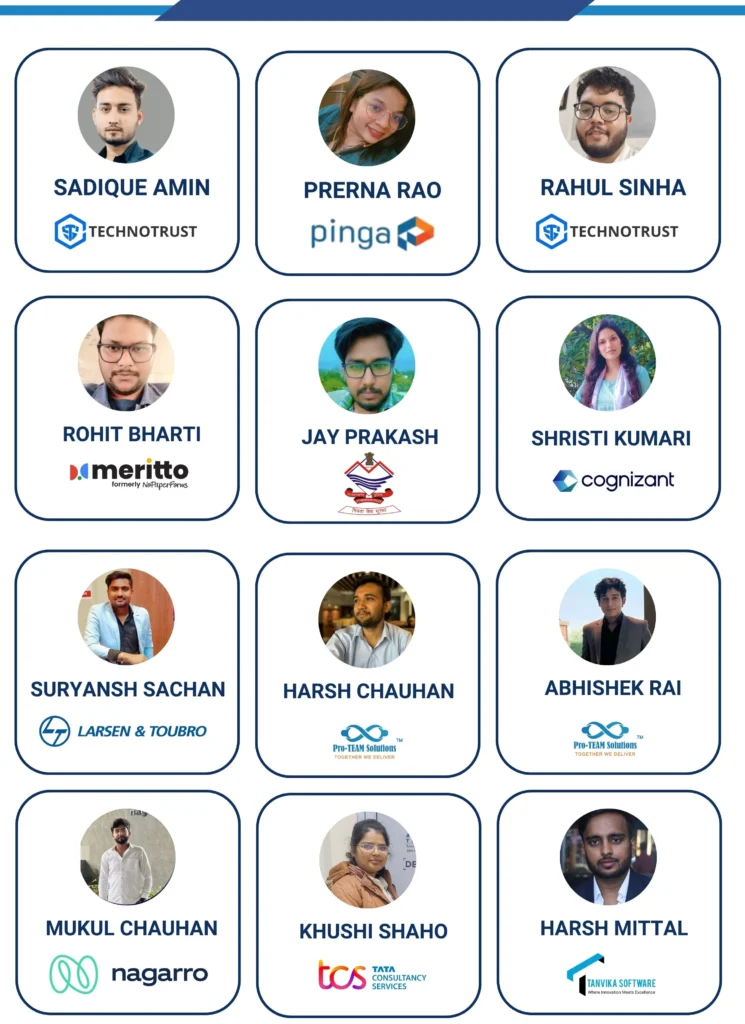
AppWars Technologies is recognized as one of the best android development institute in Noida for hands-on, career-focused training. Our program pairs an industry-aligned curriculum with real project work, expert mentorship, and small batch sizes, so every student graduates with a working portfolio of Android apps not just notes. From Java and Kotlin fundamentals to Firebase integration and Play Store publishing, we cover everything you need to start your career as a confident Android developer.
We combine an updated, industry-relevant curriculum with trainers who have real app-development background, not just teaching experience. Small batches of 15 students mean more one-on-one doubt resolution, while our hybrid format lets you choose in-center or online learning. Add certification, mock interviews, and placement support, and you get a complete package built to take you from beginner to job-ready Android developer.
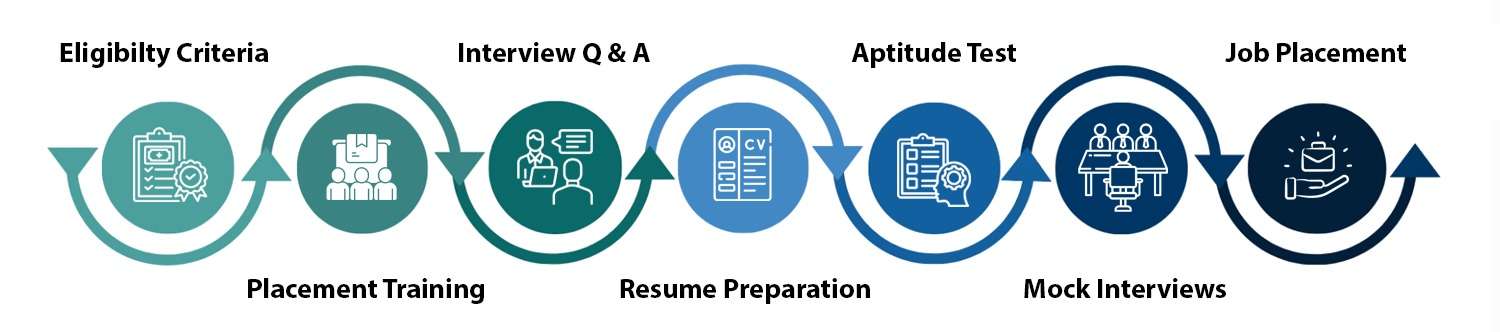
Training is only half the journey landing the right job is the goal. Alongside technical training, we provide resume building tailored for ATS systems, mock technical interviews, and access to our placement network of partners actively hiring Android developers. Support continues even after your course ends, until you’re placed in a suitable role.
Beyond just learning to code, our training focuses on real-world problem-solving. You’ll work on live projects, get hands-on exposure to Android Studio, Git, and Firebase, and receive continuous mentor feedback on your code. This project-first approach means you leave with a portfolio, not just a certificate.
With over three billion active Android devices worldwide, businesses across e-commerce, banking, healthcare, and logistics all need skilled Android developers to build and maintain their mobile presence. This has created consistent demand across IT services, product companies, and startups, offering strong long-term career scope for anyone entering the field today.
As you progress, you can go deeper into tracks based on your interest: Native Android Development (Kotlin/Java), Modern UI with Jetpack Compose, Backend & Firebase Integration, or App Publishing & Play Store Optimization — with an optional Flutter add-on track for cross-platform development.
1. Fill the application form Share your basic details and course interest so our counselling team can prepare a session tailored to your background.
2. Get personalized counselling Talk through your career goals, current experience, and which Android Development module fits your direction with one of our academic counsellors.
3. Join the program Get trained by industry experts on a curriculum customized to your learning pace and career target.
Appwars Technologies stays involved after your last class. Placement support includes resume formatting aligned to how recruiters screen Android Development profiles, structured mock interviews with feedback, and direct connections to our hiring partners actively recruiting for functional and technical Android Development openings across Noida and Delhi NCR.
Batches run in both regular (weekday) and weekend formats to fit working professionals and full-time students differently. Exact duration depends on which Android Development module track you choose. Check current batch dates and timing here: upcoming batch schedule.
Anyone interested in mobile app development can apply no computer science degree or prior coding background required. Specifically, this Android development course in Noida is a good fit for:
Got more questions?
Contact us and our academic counsellor will get in touch with you shortly
EXCELLENT Based on 1344 reviews
 Posted on Google
 Aman Lal
Trustindex verifies that the original source of the review is Google.
I had a great learning experience Aws course at AppwarsTechnologies. The course is well-structured and covers both the fundamentals and practical concepts in a very easy-to-understand way. A special thanks to Hema mam for her outstanding teaching. Her Teaching style is clear, engaging, and beginner-friendly.She explains every concept with real-life examples, making even difficult topics easy to understand.. I highly recommend this course to anyone who wants to start or build a career in Aws. Thank you, Appwars Technologies and Hema mam for providing such an excellent learning experience!Posted on Google Anshika Panday
Trustindex verifies that the original source of the review is Google.
Excellent themes and communicationPosted on Google Kaif AhmadMR.PRIYANSHU PAL Sir is one of best IT professionals He is very motivational person and always encourages students to do better .I would give him 5 start ⭐ ✨Posted on Google
 Sanjeev KumarGreat communication and excellentPosted on Google
 VisheshPriyanshu pal he is a best IT member He is a best motivational person I gave him 5 star rating A special thanks to Priyanshu Pal Sir for his outstanding teaching. His teaching style is clear, engaging, and beginner-friendly. He explains every concept with real-life examples, making even difficult topics easy to understand. He is always patient, supportive, and encourages students to ask questions. I highly recommend this course to anyone who wants to start or build a career in Data Analytics. Thank you, AppWars Technology and Priyanshu Pal Sir, for providing such an excellent learning experience!Posted on Google
 Aryan TomarPriyanshu pal is the best IT member And he is very such good person and her behaviour is very nice 👍🏼🙂 The learning environment was very supportive, and she patiently cleared all my doubts throughout the course. Overall, it was a wonderful learning experience, and I would highly recommend AppWars Technologies to anyone who wants to learn AWS and cloud computing from the basics. ❤️6Posted on Google
 PRIYANSH SHARMAExcellent Ha BhaiyaPosted on Google
 Harsh VermaPriyanshu pal sir excellent explain to all students 👍👍Verified by TrustindexTrustindex verified badge is the Universal Symbol of Trust. Only the greatest companies can get the verified badge who has a review score above 4.5, based on customer reviews over the past 12 months. Read more

Talk to our experts and choose the right course and career path for your future.