Build the cloud skills employers are looking for. Get hands-on with Azure, work on real deployment projects, and become job-ready with Microsoft Azure training in Noida designed around practical learning and career outcomes.










• What is Cloud Computing
• What is Public Cloud
• What is Private Cloud
• What is Hybrid Cloud
• What is IAAS
• What is PAAS
• What is SAAS
• What is Regions & Zones
• What is Resource Group
• Create and configure virtual networks, including peering
• Configure private and public IP addresses
• Configure user-defined network routes
• Implement subnets
• Create and configure Azure VPN Gateway
• Configure Azure Virtual WAN
• Create security rules
• Associate a network security group (NSG) to a subnet or network interface
• Evaluate effective security rules
• Implement Azure Firewall
• Implement Azure Bastion Service
• Create VMs
• Manage VM sizes
• Add data disks
• Configure networking
• Redeploy VMs
• Configure high availability
• Deploy and configure Scale Sets
• Configure Azure Application Gateway
• Configure an internal or public load balancer
• Troubleshoot load balancing
• Create an App Service
• Secure an App Service
• Configure custom domain names
• Configure networking settings
• Configure deployment settings
• Create an Azure file share
• Create and configure Azure File Sync service
• Configure Azure Blob Storage
• Configure storage tiers for Azure Blob Storage
• Configure blob lifecycle management
• Create users and groups
• Manage user and group properties
• Manage device settings
• Perform bulk user updates
• Manage guest accounts
• Configure Azure AD Join
• Configure self-service password reset
• Create a custom role
• Configure sizing and scaling for Azure Container Instances
• Configure container groups for Azure Container Instances
• Configure storage for Azure Kubernetes Service (AKS)
• Configure scaling for AKS
• Configure network connections for AKS
• Upgrade an AKS cluster
• Create a Recovery Services Vault
• Create and configure backup policy
• Perform backup and restore operations by using Azure Backup
• Perform site-to-site recovery by using Azure Site Recovery
• Configure and review backup reports
• Configure and Interpret Metrics
• Configure Azure Monitor Logs
• Query and Analyse Logs
• Set up Alerts and Actions
Choosing an Azure institute is not just about finding a place that covers the syllabus. You need training that helps you understand how cloud environments actually work and gives you enough practical exposure to use Azure confidently.
Appwars Technologies offers Microsoft Azure training in Noida with a practical, job-oriented approach. Training includes hands-on work with the Azure portal, cloud resources, networking, storage, virtual machines, identity, security, monitoring, and deployment scenarios. Instead of simply preparing you to answer certification questions, the course focuses on building skills that can be applied in real cloud environments.
Whether you are starting your IT career or adding Azure to your existing technical skill set, the goal is simple: learn Azure, practise Azure, and become confident enough to work with it.
Learning Azure from videos or reading documentation can give you theoretical knowledge, but structured guidance and practical practice can make the learning process much easier.
At Appwars Technologies, the Microsoft Azure course in Noida is designed around practical learning:
The focus is not simply on completing modules. It is on helping you understand why a service is used, how it is configured, and where it fits into a real cloud environment.
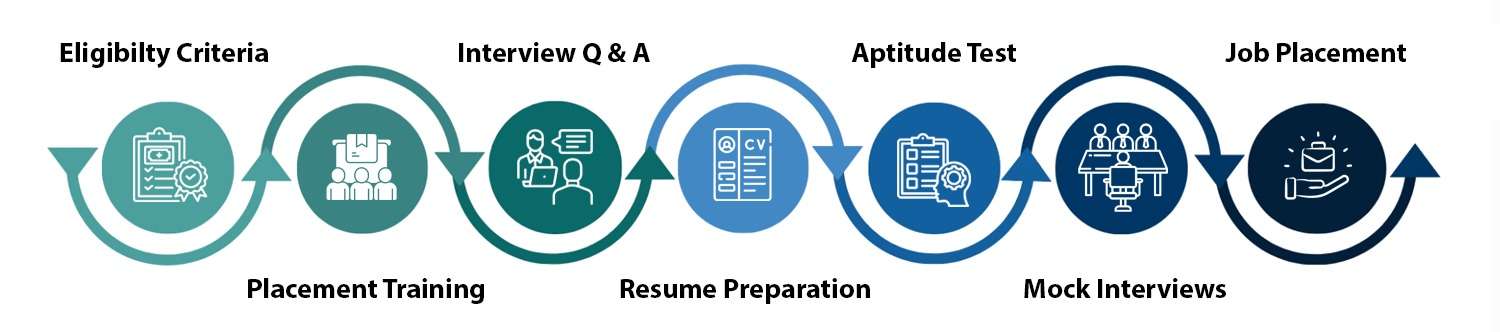
Completing an Azure course is only one part of starting a cloud career. The next challenge is presenting your skills properly and preparing for the hiring process.
With Azure training in Noida with placement support at Appwars Technologies, learners receive career-oriented assistance alongside technical training. This can include:
A good cloud course should give you more than a certificate. It should leave you with skills you can actually demonstrate.
With our Microsoft Azure training institute in Noida, you can benefit from:
Work with Azure services and understand how cloud resources are created, configured, monitored, and managed.
Practise concepts instead of simply reading about them. Labs help you understand the actual workflow behind cloud operations.
Learn areas that are relevant to Azure administration, cloud infrastructure, deployment, security, and operations.
Work on practical scenarios that help connect individual Azure services into complete cloud solutions.
Build the knowledge required to prepare for relevant Microsoft Azure certifications.
Understand the type of technical questions and practical situations commonly discussed during cloud interviews.
Businesses are increasingly using cloud platforms to host applications, manage infrastructure, store data, improve scalability, and support digital operations. This has created demand for professionals who understand cloud platforms and can work with services such as Microsoft Azure.
After completing Microsoft Azure training in Noida, learners can explore opportunities across areas such as:
Azure skills can also complement existing knowledge of Windows Server, networking, Linux, DevOps, cybersecurity, databases, or software development, making it useful for IT professionals looking to expand their technical profile.
The exact role you qualify for depends on your existing experience, technical background, and the Azure skills you develop. Some common career paths include:
For freshers, entry-level cloud support and administration roles can be a practical starting point, while experienced IT professionals can use Azure to move toward more specialized cloud and DevOps positions.
The Microsoft Azure course in Noida covers the core areas learners need to understand when working with Azure cloud environments.
Understand cloud computing concepts, Azure architecture, subscriptions, resources, resource groups, and management basics.
Learn how to create, configure, manage, and monitor virtual machines in Azure.
Work with storage accounts and understand different storage options for applications and enterprise workloads.
Learn virtual networks, subnets, network security, connectivity, and other important networking concepts.
Understand Microsoft Entra ID, users, groups, authentication, authorization, and access control.
Learn fundamental security practices for protecting cloud resources and workloads.
Understand how Azure monitoring and management tools help track resource performance and identify issues.
Learn concepts related to protecting workloads, backup, recovery, and business continuity.
Get an introduction to CI/CD concepts, automation, repositories, pipelines, and deployment workflows.
Apply the concepts through practical deployment and cloud infrastructure scenarios.
Appwars Technologies focuses on making technical training practical and career-oriented rather than limiting learners to classroom theory.
What makes the learning experience useful:
The biggest advantage is that you get an opportunity to practise what you learn, rather than finishing the course with only theoretical knowledge.
Connect with Appwars Technologies to understand the curriculum, batch schedule, duration, and training format.
Get an idea of the teaching approach and understand whether the course matches your career goals.
Choose a suitable batch according to your availability.
Begin instructor-led sessions with practical Azure labs and guided exercises.
Apply your knowledge through real-world cloud scenarios and deployment exercises.
Get guidance for certification preparation, resume building, and technical interviews.
Finishing your training should not mean that your learning journey suddenly stops. After completing the course, learners can continue working on their career preparation with guidance from the training team.
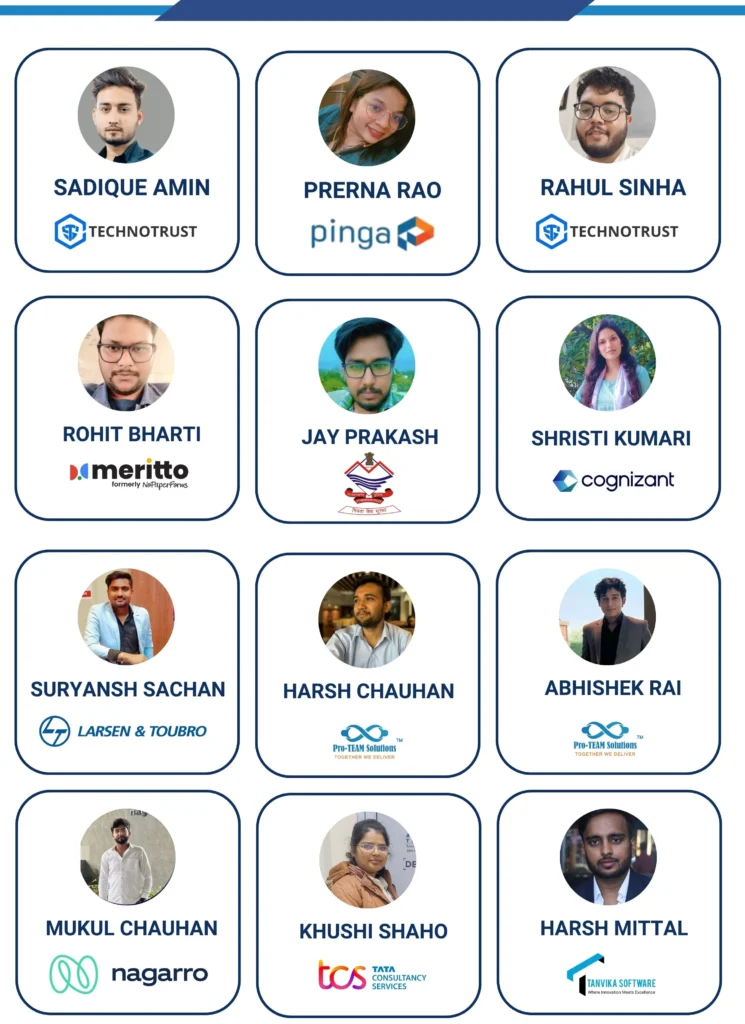
Placement assistance may include resume formatting, interview preparation, mock interviews, technical interview guidance, job-search support, and relevant hiring opportunities.
For freshers, this support can help them understand how to present their Azure projects and technical skills. Working professionals can use the same guidance to position their existing IT experience alongside their new cloud skills.
The goal is to help you approach the job market with both Azure knowledge and a stronger professional profile.
The duration of the Microsoft Azure course in Noida depends on the depth of the curriculum, practical sessions, and batch schedule.
Rather than rushing through Azure services, the training is structured to give learners sufficient time to understand concepts, practise them through labs, and work on practical scenarios.
The course schedule can be suitable for both freshers and working professionals, with batch options based on availability. Check current batch dates and timing here: upcoming batch schedule.
Azure is not limited to computer science graduates. The course can be useful for learners from different technical backgrounds who want to build cloud skills.
You don’t need to be an Azure expert before joining. A basic understanding of computers, networking, or IT concepts can make the learning process easier, while the training builds your Azure knowledge progressively.
Got more questions?
Contact us and our academic counsellor will get in touch with you shortly
EXCELLENT Based on 1344 reviews
 Posted on Google
 Aman Lal
Trustindex verifies that the original source of the review is Google.
I had a great learning experience Aws course at AppwarsTechnologies. The course is well-structured and covers both the fundamentals and practical concepts in a very easy-to-understand way. A special thanks to Hema mam for her outstanding teaching. Her Teaching style is clear, engaging, and beginner-friendly.She explains every concept with real-life examples, making even difficult topics easy to understand.. I highly recommend this course to anyone who wants to start or build a career in Aws. Thank you, Appwars Technologies and Hema mam for providing such an excellent learning experience!Posted on Google Anshika Panday
Trustindex verifies that the original source of the review is Google.
Excellent themes and communicationPosted on Google Kaif AhmadMR.PRIYANSHU PAL Sir is one of best IT professionals He is very motivational person and always encourages students to do better .I would give him 5 start ⭐ ✨Posted on Google
 Sanjeev KumarGreat communication and excellentPosted on Google
 VisheshPriyanshu pal he is a best IT member He is a best motivational person I gave him 5 star rating A special thanks to Priyanshu Pal Sir for his outstanding teaching. His teaching style is clear, engaging, and beginner-friendly. He explains every concept with real-life examples, making even difficult topics easy to understand. He is always patient, supportive, and encourages students to ask questions. I highly recommend this course to anyone who wants to start or build a career in Data Analytics. Thank you, AppWars Technology and Priyanshu Pal Sir, for providing such an excellent learning experience!Posted on Google
 Aryan TomarPriyanshu pal is the best IT member And he is very such good person and her behaviour is very nice 👍🏼🙂 The learning environment was very supportive, and she patiently cleared all my doubts throughout the course. Overall, it was a wonderful learning experience, and I would highly recommend AppWars Technologies to anyone who wants to learn AWS and cloud computing from the basics. ❤️6Posted on Google
 PRIYANSH SHARMAExcellent Ha BhaiyaPosted on Google
 Harsh VermaPriyanshu pal sir excellent explain to all students 👍👍Verified by TrustindexTrustindex verified badge is the Universal Symbol of Trust. Only the greatest companies can get the verified badge who has a review score above 4.5, based on customer reviews over the past 12 months. Read more

Talk to our experts and choose the right course and career path for your future.