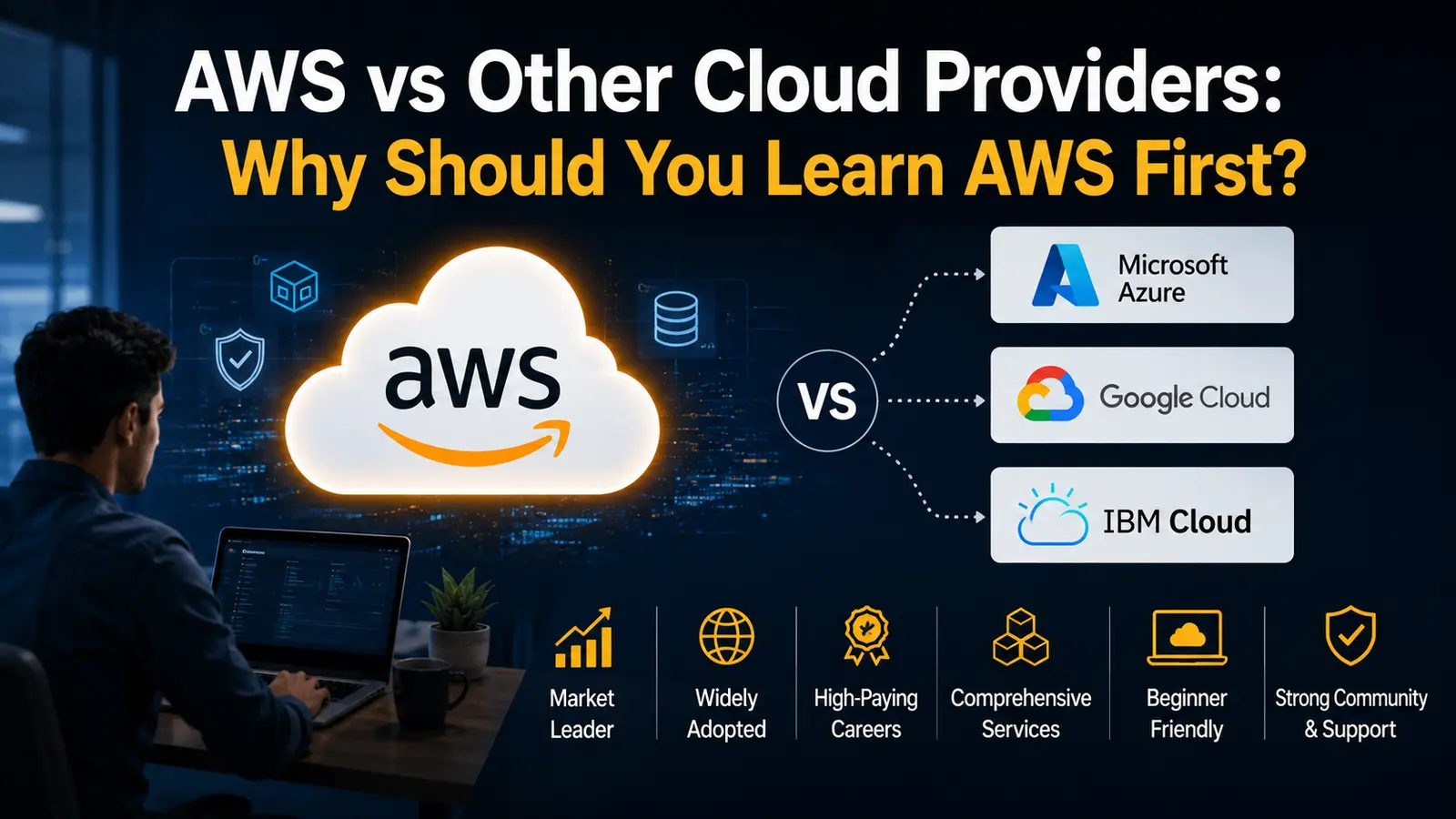
I get this question almost every week from people starting out in tech. AWS vs cloud providers like Azure and Google Cloud, which one first? And honestly, after 10 years of working with cloud platforms and training beginners, my answer hasn’t changed much.
Learn AWS first.
Not because it’s trendy. Not because everyone else says so. Because the numbers, the job market, and the learning curve all point the same direction. Let me walk you through why learn AWS first actually holds up, using actual data instead of vague claims.
The market reality behind AWS vs Other Cloud Providers
Here’s the thing about the AWS vs Other Cloud Providers debate: it’s not really a debate once you look at market share. Most AWS vs cloud providers comparisons I’ve read over the years land on the same conclusion once they get past the marketing copy.
AWS has held the top spot in cloud infrastructure since 2006. That’s two decades of building services, fixing edge cases, and onboarding millions of companies. Azure came later. Google Cloud came even later. Both are strong platforms today, but neither has caught up in raw market share. Any honest cloud computing platforms comparison has to start with that history.
I worked with a startup in 2019 that moved from a self-hosted server setup to AWS in under 3 weeks. Their CTO told me later that the decision came down to one thing: documentation. AWS had an answer for almost every error message they hit. That’s not luck. That’s 20 years of accumulated knowledge base.
When you’re comparing cloud computing platforms comparison data, AWS consistently shows up with 30%+ global market share, way ahead of Azure and Google Cloud combined in most quarters. That gap matters when you’re deciding where to invest your learning time. In nearly every AWS vs cloud providers breakdown I’ve read or written myself, that market share gap is the first data point that comes up, and for good reason.
AWS differentiation from other cloud providers: what actually sets it apart
People throw around “AWS is better” without saying why. So let’s get specific.
Service breadth. AWS offers over 200 fully featured services. Compute, storage, databases, machine learning, IoT, you name it. Azure and GCP have caught up in core areas, but AWS still wins on sheer variety of niche tools. This is one of the clearest forms of AWS differentiation from other cloud providers: breadth that took two decades to build.
First-mover advantage. EC2 launched in 2006. S3 launched the same year. By the time Azure launched in 2010 and Google Cloud followed in 2011, AWS already had a 4-5 year head start in real-world deployments and customer feedback loops.
Global infrastructure. AWS runs in 30+ geographic regions with 90+ availability zones (numbers I check periodically since they keep expanding). That’s more than any other provider right now, and it’s one of the easiest stats to verify in any cloud computing platforms comparison you find online.
Community and resources. This one’s underrated. When I’m stuck on an obscure AWS error, I can almost always find someone who hit the same wall on Stack Overflow or a forum from 2015. Try that with a newer GCP service. The thread might not exist yet.
This is the real AWS differentiation from other cloud providers: depth built over time, not just feature checklists. Azure has strong enterprise integration if your company already runs on Microsoft tools. GCP has solid data and AI tooling. But AWS gives you the widest surface area to learn transferable skills.
Pricing flexibility. AWS offers more granular pricing models than most people realize: On-Demand, Reserved Instances, Spot Instances, Savings Plans. A friend running a small e-commerce site cut her monthly bill by 40% just by switching idle dev servers to Spot Instances. That kind of cost control takes time to master, but the options exist from day one.
Marketplace and third-party integrations. AWS Marketplace lists thousands of pre-configured software packages from vendors, ready to deploy with a few clicks. Need a specific monitoring tool, a security scanner, or a niche database engine? Chances are someone already packaged it for AWS before doing the same for Azure or GCP.
None of this means Azure or GCP are inferior products. It means AWS has had more time, more customers, and more edge cases to refine its offering around. That accumulated refinement, more than any single feature, is what AWS differentiation from other cloud providers really comes down to in practice.
Why learn AWS first if you’re starting from zero
I’ve trained beginners who jumped straight into Azure because their college used Microsoft tools. Some struggled later when applying to jobs that wanted AWS experience specifically. That’s not a knock on Azure. It’s just a market reality, and it’s a big part of why learn AWS first keeps coming up as the practical answer.
So why learn AWS first? Three concrete reasons.
First, job postings. Search any job board for “cloud engineer” and filter by required skills. AWS shows up in the majority of listings across industries, not just tech companies. Banks, retailers, healthcare firms, they’re all running workloads on AWS.
Second, transferability. Once you understand AWS’s core concepts (IAM roles, VPCs, S3 buckets, EC2 instances), picking up Azure or GCP later becomes much easier. The underlying cloud concepts are similar. AWS just has more structured learning paths to absorb them.
Third, certification recognition. Hiring managers know what an AWS certification means. I’ve sat in interview panels where an AWS Solutions Architect cert moved a candidate straight to the technical round, skipping the basic screening call entirely. That alone answers why learn AWS first for anyone weighing certification value against time invested.
If you’re trying to figure out the best cloud platform to learn first for career purposes, AWS removes a layer of uncertainty. You’re not betting on a platform gaining traction. It already has the traction.
Best cloud platform to learn first: comparing the big three head-on
Let’s be fair here. Azure and GCP aren’t bad platforms. They’re just not the best starting point for most beginners, even though they’d rank well in a broader cloud computing platforms comparison covering enterprise use cases.
Azure makes sense if you already work in a Microsoft-heavy environment, like a company running Windows Server, Active Directory, and Office 365. The integration is smooth. But if you’re learning cloud computing from scratch with no existing tech stack, you don’t get that advantage yet.
Google Cloud shines in data analytics, Kubernetes (they invented it, after all), and machine learning workloads. If your goal is purely data science, GCP has compelling tools like BigQuery. But for general-purpose cloud roles, GCP job postings are still a smaller slice of the market.
AWS wins on volume. More services to practice with, more job demand, more community support, more free-tier resources to experiment without burning money. Stack those factors up and AWS comes out as the best cloud platform to learn first for nearly anyone starting without a specific employer constraint. It’s the recurring answer across most AWS vs cloud providers writeups, mine included.
I’m not saying ignore Azure and GCP forever. I’m saying start with AWS, build your foundation, then branch out once you understand core cloud principles. That sequencing, starting with the best cloud platform to learn first and expanding later, has worked for almost every junior engineer I’ve mentored over the years.
AWS cloud computing course options worth your time
Once you’ve decided to start with AWS, the next question is which AWS cloud computing course actually deserves your time. There are a lot of options, and not all of them are worth it.
AWS itself offers AWS Skill Builder, with free and paid courses ranging from fundamentals to specialized tracks like machine learning and security. I’d start here because the content stays updated with actual service changes.
If you prefer structured bootcamp-style learning, Appwars technologies builds entire learning paths around AWS certifications, with labs you can run in a real sandboxed AWS environment. It’s one of the more complete AWS cloud computing course options if you want structure instead of piecing one together yourself.
Whatever you pick, prioritize courses with hands-on labs over pure video lectures. Cloud concepts click faster when you’re actually clicking buttons in the AWS console and watching things break (and then fixing them). A good AWS cloud computing course should feel more like a workshop than a lecture hall.
AWS training for beginners: where to actually start
Start with these core services first: EC2 (virtual servers), S3 (storage), IAM (permissions and access control), and VPC (networking basics). These four show up in almost every AWS architecture you’ll encounter professionally.
Once those feel comfortable, move into RDS (databases), Lambda (serverless functions), and CloudWatch (monitoring). This second layer builds on the foundation and introduces you to more advanced architectural patterns.
For AWS training for beginners, I always recommend setting up the AWS Free Tier account on day one. You get limited free usage of many services for 12 months. Build something small, like a static website hosted on S3, or a simple Lambda function that processes a file upload. Real projects stick in memory better than theory.
One mistake I see constantly: people read documentation for weeks without touching the console. Stop. Open an account today and start clicking around. You’ll learn faster from breaking things in a sandbox than from any tutorial video.
Here’s a project sequence I’ve handed to dozens of beginners. Week one, host a static website on S3 and point a custom domain at it using Route 53. Week two, add a Lambda function that resizes images when they’re uploaded to that S3 bucket. Week three, set up a basic VPC with public and private subnets, then launch an EC2 instance inside it. Week four, connect that EC2 instance to an RDS database and build something that actually stores user data.
None of these projects are complicated on their own. But stacking them in sequence forces you to understand how AWS services talk to each other, which is the part most AWS training for beginners content skips over in favor of teaching each service in isolation.
AWS certification roadmap: which cert to chase first
Certifications matter in this industry, whether we like it or not. They signal to employers that you’ve validated your knowledge against AWS’s own standards, and a clear AWS certification roadmap keeps you from wasting months on the wrong exam.
Here’s the AWS certification roadmap I recommend to almost everyone starting fresh.
Start with AWS Certified Cloud Practitioner. It’s the entry-level cert, covering basic cloud concepts, AWS services overview, and pricing models. It’s not technically deep, but it gives you vocabulary and context before diving into harder material.
Next, go for AWS Certified Solutions Architect – Associate. This is the cert that actually moves resumes forward. It covers designing resilient architectures, security, and cost optimization. Most job postings that mention AWS certification specifically reference this one.
After that, branch based on your career direction. Want to go deeper into architecture? Pursue the Professional-level Solutions Architect cert. Interested in development? Look at AWS Certified Developer – Associate. Leaning toward operations and infrastructure automation? AWS Certified SysOps Administrator fits there. This branching point is where most AWS certification roadmap guides stop being one-size-fits-all and start depending on your actual goals.
I’ve seen people skip Cloud Practitioner and jump straight to Solutions Architect Associate. It’s doable if you already have some IT background. But for true beginners, skipping the fundamentals cert often means re-learning basics mid-way through harder material, which slows you down more than it speeds you up.
Learn AWS for beginners: practical tips that actually help
Some practical tips can make the AWS learning journey easier for beginners. These small habits help learners stay consistent and build strong cloud skills.”
Don’t memorize service names. Understand what problem each service solves. EC2 solves “I need a virtual computer.” S3 solves “I need to store files reliably.” Once you think in problems-and-solutions, the documentation makes more sense.
Use the AWS pricing calculator before deploying anything real. I’ve seen beginners rack up unexpected charges from forgetting to shut down an EC2 instance after a tutorial. Set billing alerts on day one, no exceptions.
Join AWS-focused communities. Reddit’s r/aws, the AWS subreddit’s weekly threads, and Discord servers dedicated to cloud learning all have people willing to answer beginner questions without judgment.
Build, don’t just watch. Tutorials are passive. Projects are active. Even something as simple as hosting your resume website on S3 with a custom domain teaches you more than 5 hours of lecture videos.
If you’re serious about learn AWS for beginners as a goal, give yourself 3 to 6 months of consistent practice (an hour or two daily beats a weekend cram session every time) before attempting the Cloud Practitioner exam. Rushing the timeline usually backfires on exam day.
Conclusion
The AWS vs Other Cloud Providers question isn’t really close once you weigh market share, job demand, documentation quality, and community support together. Azure and GCP have their strengths, and you might end up using both later in your career. But starting with AWS gives you the widest foundation, the most job opportunities, and the clearest certification roadmap to build on. If you’re still deciding where to begin, treat learn AWS for beginners as your starting search term and go from there.
Open that Free Tier account today. Pick one small project. Start building. The platform’s complexity feels intimidating at first, but it breaks down into manageable pieces once you start with the right sequence: fundamentals, hands-on practice, then certification.
Learn more:- Top 50 AWS Interview Questions & Answers in 2026, Complete AWS Roadmap in 2026