
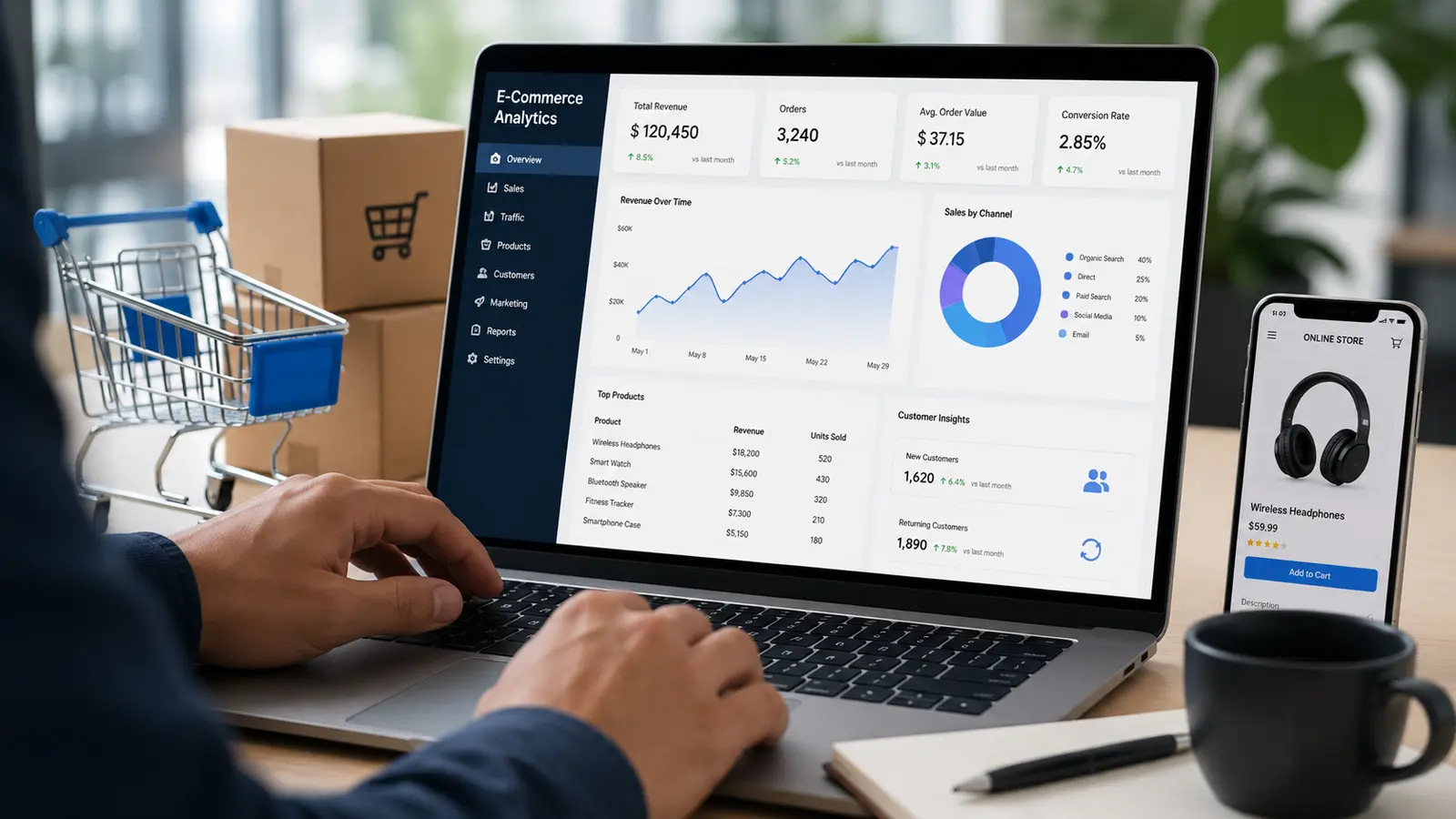
An online store with 50,000 monthly visitors and a 1% conversion rate is losing money somewhere. Maybe it’s the checkout page. Maybe it’s a slow-loading product image on mobile. Maybe it’s the fact that shoppers in Texas convert at half the rate of shoppers in California, and nobody’s noticed yet. Data analytics in e-commerce is how you find that “somewhere” instead of guessing.
I’ve worked with online sellers who swore by gut instinct for years, then watched a single dashboard change their whole approach to pricing in a week. That’s the pull of e-commerce analytics: it turns a store from a black box into something you can actually read.
This guide walks through what data analytics in e-commerce really means, why it matters, the types you’ll run into, the tools worth your money, and the mistakes that trip up even experienced teams. If you’re a student trying to understand the field, a fresh graduate building a resume, or a working professional trying to make a case for a bigger analytics budget, this is written for you.
What Is Data Analytics in E-Commerce?
Data analytics in e-commerce is the practice of collecting, processing, and interpreting data generated by an online store, everything from clicks and cart abandonment to shipping times and customer service tickets, to make better business decisions.
It’s not one tool or one report. It’s a discipline. You pull data from your website, your ad platforms, your inventory system, your email tool, and your CRM, then you connect the dots between them. A spike in returns might trace back to a specific product description. A drop in repeat purchases might trace back to a shipping delay from three weeks ago.
E-commerce and data analytics have become inseparable in today’s digital marketplace. From Shopify and Amazon to Etsy, businesses rely on analytics to understand customer behavior, improve sales, and optimize marketing campaigns. As businesses become increasingly data-driven, professionals with data analytics skills are in high demand. Learning these skills through a structured Data Analytics Training can help students and working professionals analyze e-commerce data and make informed business decisions.
The role of analytics in e commerce, at its core, is translation. Raw numbers in, decisions out.
Why Data Analytics Matters in E-Commerce
Here’s the honest answer: without it, you’re running a store on assumptions. And assumptions are expensive.
Say you assume your best customers are 25 to 34 year olds because that’s your target persona on paper. But your actual data shows 40% of revenue comes from 45 to 54 year olds who found you through a niche Facebook group. If you never checked, you’d keep spending ad dollars on the wrong audience for years.
Importance of analytics in ecommerce shows up in three blunt ways: it saves money (you stop spending on what doesn’t work), it makes money (you double down on what does), and it protects the business (you catch fraud, stockouts, and churn before they snowball).
I think the biggest shift happens when a team stops treating analytics as a monthly report and starts treating it as a daily habit. That’s when the importance of ecommerce analytics stops being theoretical and starts changing how people actually work.
Key Benefits of Data Analytics
The benefits of data analytics in e-commerce touch nearly every part of the business, not just marketing.
Customer understanding improves first. You see what people actually browse, not what you assumed they’d browse. Purchase history, time on page, search terms typed into your own site search bar: all of it builds a real picture of intent.
Inventory management gets sharper too. A mid-sized apparel brand I read about cut overstock by tracking sell-through rate by SKU weekly instead of monthly. Small change, real savings, because they stopped ordering more of what wasn’t moving.
Pricing gets smarter. Dynamic pricing models watch competitor prices, demand shifts, and inventory levels, then adjust in near real time. Airlines have done this for decades. E-commerce caught up fast.
Marketing spend gets more honest. You can see, dollar for dollar, which channel actually drives profitable orders versus which one just drives clicks. Attribution isn’t perfect, but it’s a lot better than nothing.
And fraud detection improves. Unusual order patterns, mismatched billing and shipping addresses, rapid-fire purchases from a new account: analytics flags these before they become chargebacks.
Types of Data Analytics Used in E-Commerce
There are four types, and each one answers a different question.
Descriptive analytics answers “what happened?” Total sales last month, top-selling products, bounce rate by page. This is the foundation. Most dashboards you’ll build start here.
Diagnostic analytics answers “why did it happen?” If sales dropped 15% in March, diagnostic analytics digs into whether it was a pricing change, a competitor promotion, a broken coupon code, or seasonal demand.
Predictive analytics answers “what’s likely to happen next?” Using past behavior to forecast demand, predict churn, or estimate customer lifetime value. This is where machine learning models start showing up, though a well-built spreadsheet with historical trends can get you surprisingly far too.
Prescriptive analytics answers “what should we do about it?” This is the most advanced layer. It doesn’t just predict a stockout in two weeks, it recommends a reorder quantity and timing based on lead times and demand variability.
| Type | Question Answered | Example |
| Descriptive | What happened? | Monthly revenue report |
| Diagnostic | Why did it happen? | Cart abandonment root cause |
| Predictive | What’s next? | Demand forecast for Q4 |
| Prescriptive | What should we do? | Automated reorder recommendation |
Most stores start with descriptive and diagnostic, then grow into predictive and prescriptive as their data volume and team maturity increase.
How E-Commerce Businesses Use Data Analytics
Amazon’s recommendation engine is the most obvious example. “Customers who bought this also bought” isn’t guesswork, it’s a model trained on billions of purchase pairs. It reportedly drives a significant chunk of Amazon’s overall sales.
Smaller businesses use the same logic at a smaller scale. A skincare brand might notice that customers who buy a cleanser almost always buy a moisturizer within 30 days, then build an automated email flow around that pattern instead of hoping people remember on their own.
Retailers use cohort analysis to see how a customer acquired in January behaves compared to one acquired in June, adjusting acquisition spend based on which cohorts stick around longer.
Warehouses use analytics for demand forecasting tied to weather, holidays, and regional trends. A store selling umbrellas doesn’t need a psychic, it needs a rain forecast layered onto historical sales data.
Customer service teams use analytics too. Ticket volume by product category can reveal a defect before it shows up in a formal recall.
Best Data Analytics Tools for E-Commerce
Tool choice depends heavily on store size and technical resources, but a few names come up again and again.
Google Analytics 4 is the default starting point for most stores. It’s free, it tracks traffic and behavior across your site, and it connects to Google Ads for attribution.
Shopify Analytics (built into Shopify stores) gives sales, conversion, and customer reports without needing a separate setup. Good for smaller sellers who don’t want a steep learning curve.
Hotjar or Microsoft Clarity show heatmaps and session recordings, letting you literally watch where people click and where they drop off. Sometimes seeing five real user sessions tells you more than a week of numbers.
Klaviyo ties email and SMS performance directly to revenue, which is genuinely useful since email often gets underrated as a channel.
Tableau or Power BI come in once a business has enough data sources that spreadsheets stop cutting it. These build custom dashboards pulling from multiple systems at once.
Amazon Seller Central / Vendor Central analytics are essential if you sell on Amazon, since that data doesn’t flow anywhere else automatically.
Most growing businesses end up stacking two or three of these rather than relying on one.
Common Challenges and How to Overcome Them
Data silos are the first wall most teams hit. Sales data lives in Shopify, ad data lives in Meta, email data lives in Klaviyo, and none of them talk to each other by default. The fix is usually a customer data platform or, for smaller teams, a simple weekly manual export into one shared spreadsheet.
Data quality is the second wall. Duplicate customer records, missing UTM tags, inconsistent product naming. Garbage in, garbage out, and no dashboard fixes bad source data. Set naming conventions early and audit them quarterly.
Skill gaps show up next. A lot of small teams have the data but not the person who knows how to read it. Hiring an analyst is one path, but a founder or marketer learning basic SQL and spreadsheet formulas can go a surprisingly long way too.
Privacy regulations add friction. GDPR, CCPA, and the slow death of third-party cookies mean stores need first-party data strategies now, not later. Email signups, loyalty programs, and direct customer relationships matter more than they used to.
Analysis paralysis is real too. Too many dashboards, too many metrics, nobody making a decision. Pick 3 to 5 metrics that map directly to revenue and review those weekly. Everything else is secondary.
Best Practices for Using Data Analytics Effectively
Start with a question, not a dashboard. Don’t open a tool and stare at fifteen charts hoping for inspiration. Ask “why did conversion drop last week,” then go find the answer.
Set a data review cadence. Weekly for operational metrics like traffic and conversion, monthly for strategic metrics like customer lifetime value and retention.
Segment before you conclude. A 2% overall conversion rate might hide a 5% rate for returning customers and a 0.8% rate for first-time visitors. The average lies. Segments tell the truth.
Clean your data before you trust it. Spend the first hour of any analysis checking for duplicates, missing fields, and obvious tracking errors.
Test one variable at a time. If you change your homepage layout and your pricing in the same week, you won’t know which one moved the needle.
Document what you learn. A simple log of “we tried X, here’s what happened” saves teams from repeating the same failed experiment eighteen months later.
Future Trends of Data Analytics in E-Commerce
AI-powered personalization is moving from “nice to have” to expected. Shoppers increasingly expect a homepage that reflects their actual browsing history, not a generic layout.
Voice and visual search are growing slowly but steadily, and both generate new types of behavioral data that traditional analytics setups aren’t built to capture yet.
First-party data strategies will keep growing as third-party cookies fade out. Loyalty programs, SMS lists, and direct app usage will carry more weight in customer profiling.
Real-time analytics, dashboards that update by the minute rather than overnight, are becoming standard for larger retailers managing flash sales and live inventory.
And composable commerce, where businesses mix and match best-in-class tools instead of one giant platform, means analytics setups will need to pull from more fragmented sources than ever. The tools that win here will be the ones that make that fragmentation invisible to the person reading the dashboard.
Frequently Asked Questions
1. What is data analytics in e-commerce, in simple terms?
It’s using data from your store, like sales, traffic, and customer behaviour, to make smarter business decisions instead of guessing.
2. What role does data analytics play in commerce media?
In commerce media, data analytics measures how ad placements on retail sites actually drive sales, connecting ad spend directly to purchase data rather than just clicks.
3. What’s the difference between descriptive and predictive analytics?
Descriptive analytics tells you what already happened. Predictive analytics uses that history to estimate what’s likely to happen next.
4. Do small e-commerce businesses need data analytics?
Yes. Even free tools like Google Analytics 4 or built-in Shopify reports give small sellers enough insight to fix obvious leaks like high cart abandonment.
5. What are the biggest benefits of e-commerce analytics?
Better customer targeting, smarter inventory decisions, more accurate pricing, honest marketing attribution, and earlier fraud detection.
6. Which analytics tool should a beginner start with?
Google Analytics 4 paired with whatever reporting comes built into your e-commerce platform, like Shopify Analytics, is enough for most beginners.
7. How often should a business review its e-commerce data?
Weekly for day-to-day metrics like traffic and conversion. Monthly for bigger-picture metrics like retention and lifetime value.
8. Can data analytics reduce cart abandonment?
Yes. Analytics can pinpoint exactly where shoppers drop off, whether it’s shipping costs, a confusing checkout form, or a lack of payment options, so you can fix that specific step.
9. What skills do I need to work in e-commerce analytics?
A working knowledge of spreadsheets or SQL, comfort reading dashboards like Google Analytics or Tableau, and enough business sense to turn numbers into decisions.
10. Is data analytics in e-commerce a good career path?
Yes. Demand for people who can read e-commerce data and turn it into action has grown steadily, and it’s a skill set that transfers across retail, marketing, and operations roles.
Conclusion
Data analytics in e-commerce isn’t about drowning in numbers. It’s about asking better questions and having the receipts to answer them. Whether you’re a student picking a career direction, a professional building a case for a new tool, or a founder trying to figure out why last month’s sales dipped, the same principle applies: look at what actually happened before deciding what to do next.
Read also- Top 10 Data Analytics courses in Noida