
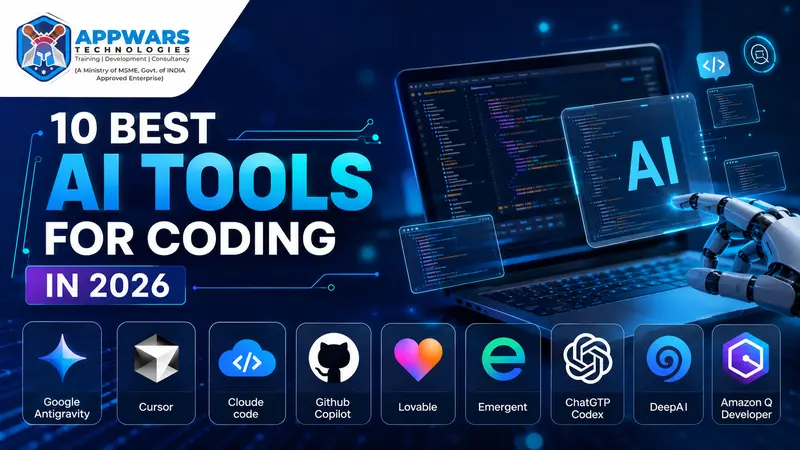
Every developer I talk to, from first-year students to senior engineers, is running at least one AI tool inside their editor right now. That’s not hype. It’s just where the work is.
Picking the right one is the hard part. Some tools are built for beginners who want plain-English help. Others are built for teams shipping production code every day. This guide breaks down the 10 best AI tools for coding in 2026, with real pros and cons, so you can pick the one that fits where you are, not where a marketing page says you should be.
If you’re new to full-stack development or brushing up your skills, pair whichever tool you pick with structured learning. A full-stack development course gives you the fundamentals these tools assume you already have.
Quick comparison table for the best AI tools in 2026
| Tool | Best for | Starting price | Standout feature |
|---|---|---|---|
| Google Antigravity | Beginners to intermediate, greenfield projects | Free (Ultra plan: $100/mo) | Multi-agent orchestration with a browser subagent that tests your app live |
| Cursor | Intermediate to experienced developers | Free (Pro $20/mo) | Composer for multi-file edits, deep codebase context |
| Claude Code | Experienced developers, large refactors | $20/mo (Pro) | Terminal-native agent with a 1M token context window |
| GitHub Copilot | Beginners to teams already on GitHub | Free (Pro $10/mo) | Coding agent that works issues into pull requests on its own |
| Lovable | Non-technical founders, beginners | Free (Pro $25/mo) | Fast prompt-to-app generation with editable React code |
| Emergent | Beginners building full-stack MVPs | Free (from $20/mo) | Multi-agent build process covering frontend, backend, and database |
| ChatGPT Codex | Intermediate to experienced developers | Included in ChatGPT Plus ($20/mo) | Cloud sandboxes that run tasks in parallel and return a diff |
| DeepAI | Absolute beginners, quick snippets | Free | No-signup code help for simple questions |
| Amazon Q Developer | Teams building on AWS | Free (Pro $19/user/mo) | Java version upgrades and AWS-aware code suggestions |
| Windsurf | Intermediate developers who want an agent-first editor | Free (Pro $20/mo) | Cascade agent with strong flow awareness across files |
1. Google Antigravity
Google rebuilt this tool at I/O 2026, and it’s now less of a code editor and more of a control room for AI agents. You describe what you want, and a team of agents plans it, writes it, tests it in a real Chrome browser, and fixes what breaks.
The browser subagent is the part worth paying attention to. It clicks buttons, fills out forms, and screenshots the result, so bugs get caught before you even open your app.
Pros
- The free tier is generous for solo builders and students
- The browser subagent catches UI bugs most tools miss
- Works with Claude Sonnet 4.6, Claude Opus 4.6, and Gemini models
- Picks up your project’s CLAUDE.md file for shared context
Cons
- Agent sessions can burn through $5 to $10 in a single complex task
- Defaults push you toward Firebase and Google Cloud, which creates friction if you’re on AWS or Vercel
- Better for new projects than for a codebase with years of history
- Still young, with occasional crashes and stuck agent loops
Best for: beginners and intermediate developers starting fresh projects. It’s a rough fit for maintaining old codebases.
Get Free Career Counseling ➔2. Cursor
Cursor built its name as a VS Code fork with AI stitched into the core instead of bolted on as a plugin. Composer handles multi-file edits, Agent mode runs background tasks, and it supports Claude, GPT, and Gemini models side by side.
It’s one of the most complete AI tools for coding on the market right now, and its 1 million-plus users say as much.
Pros
- Deep understanding of your whole codebase, not just the open file
- Model choice lets you pick the best model for the task at hand
- Native MCP support and in-editor PR review
- Familiar VS Code layout, so the learning curve is short
Cons
- Usage-based credit billing means your bill can swing month to month
- Premium models drain credits fast on long agent sessions
- The free tier is fine for evaluation but too tight for daily work
Best for: intermediate and experienced developers who want an editor that thinks alongside them. Beginners can use it too, but the credit system takes some getting used to.
3. Claude Code
Claude Code lives in your terminal rather than an IDE window. You point it at a repository, and it reads the codebase, plans changes across files, runs shell commands, and executes tests, all without you switching context to a browser tab.
Among AI code review tools and agentic coding tools, this one stands out for handling large-scale refactors and framework migrations that would eat a full day of manual work.
Pros
- 1M token context window, so it holds an entire large project in memory
- Works alongside any editor since it’s terminal-based, no IDE lock-in
- Strong at shell-heavy tasks like build pipelines and deployment scripts
- Access to Claude Sonnet 4.6 and Claude Opus 4.6 on the Pro plan
Cons
- No free plan; you need Pro ($20/mo) or API credits to use it at all
- Rate limits reset on a rolling 5-hour window, which trips up heavy users
- A terminal-first workflow can feel unfamiliar if you’ve only worked in a GUI editor
Best for: experienced developers doing serious refactors, migrations, or automation. It’s a steep first hurdle for someone who has never opened a terminal.
4. GitHub Copilot
Copilot was the tool that got most developers using AI in the first place. Four years later, it’s grown from autocomplete into a genuine coding agent, with a background worker that takes a GitHub issue and comes back with a pull request on its own.
Pros
- Unlimited code completions on every paid plan, and they don’t touch your credit pool
- Coding agent runs asynchronously in the background while you work on something else
- Deep GitHub integration for issues, actions, and code review
- Works across VS Code, JetBrains, Visual Studio, and Neovim
Cons
- Chat, agent mode, and code review now bill by token, and heavy sessions add up fast
- Enterprise pricing hides a required GitHub Enterprise Cloud add-on, so the real cost runs higher than the sticker price
- General coding quality trails Cursor and Claude Code on harder agentic tasks
Best for: beginners learning to code and teams already living inside GitHub. It’s the safest first AI coding tool for a student, and it scales up as skills grow.
5. Lovable
Lovable turns plain English into a working web app, complete with a database and login screen, in minutes. It’s built for people who want to see something real before they’ve written a line of code.
Pros
- Fastest generation time among app builders, often 8 to 12 minutes for a first version
- You get clean, editable React and Supabase code, not a locked black box
- Clear pricing scale from $25 to $2,250 per month as your project grows
- GitHub sync for handing work off to a developer later
Cons
- Credits drain quickly once you start debugging back and forth.
- The output is closer to a polished prototype than a production-ready app
- Less suited to apps with heavy custom backend logic
Best for: absolute beginners, non-technical founders, and students validating an idea before committing to a full course of study.
6. Emergent
Emergent takes a similar prompt-to-app approach as Lovable but leans on a multi-agent system that plans, codes, and tests in parallel. It asks clarifying questions before it builds, which cuts down on wasted generations.
Pros
- The multi-agent build process covers frontend, backend, database, and deployment from one prompt
- Asks about authentication and integrations before generating, instead of guessing
- Credits never expire on top-ups, which is good for people who build in short bursts
- Handles both web and mobile from the same prompt
Cons
- Generation takes 45 to 60 minutes, far slower than Lovable
- Team collaboration features are thinner than competitors
- Newer platform with a smaller community for troubleshooting
Best for: beginners who want a full-stack MVP without touching code and don’t mind waiting a bit longer for it.
7. ChatGPT Codex
Codex is OpenAI’s cloud-based coding agent. You hand it a task, it works in an isolated sandbox, and it comes back with a diff, terminal logs, and citations for what it changed. On SWE-bench, GPT-5-Codex reportedly completes 85.5% of tasks autonomously.
Pros
- Runs tasks in parallel across multiple projects without blocking your terminal
- Included in ChatGPT Plus, so there’s no separate subscription if you already pay for ChatGPT
- Available as a CLI, VS Code extension, web app, and iOS app
- Strong at end-to-end task completion with a finished pull request
Cons
- Token-based billing since April 2026 makes costs harder to predict than flat pricing
- Free tier only gives you a limited “mini” version, not the full agent
- Async style means you’re reviewing finished work rather than pairing in real time
Best for: intermediate and experienced developers who want to hand off whole tasks and check back later, rather than watching every step.
Get Free Demo Class ➔8. DeepAI
DeepAI’s AI Code tool is the simplest one on this list, and that’s the point. It’s a browser-based chat for programming questions: code snippets, debugging help, and plain-language explanations of what a piece of code does.
Pros
- Free with no signup required for basic use
- Good for quick, isolated questions rather than full projects
- Simple interface with no setup or extension install
Cons
- No codebase awareness, so it can’t reason about your actual project
- No agent capabilities, file editing, or terminal access
- Falls behind dedicated coding tools once your questions get complex
Best for: absolute beginners and students who just need a fast answer to a specific coding question, not a daily development tool.
9. Amazon Q Developer
Amazon Q Developer is AWS’s answer to Copilot, built specifically for teams already living in the AWS ecosystem. It handles code suggestions, security scanning, and one feature almost nobody else offers: automated Java version upgrades.
Pros
- Free tier includes 50 agentic requests a month, more generous than most competitors
- Security scanning is built in, saving a separate static analysis tool
- IP indemnity on the Pro plan protects teams using generated code commercially
- Java upgrade feature has close to no direct competition
Cons
- Value drops fast if your project doesn’t touch AWS services
- Java-first code transformation, with limited support for Python, TypeScript, or Go
- No annual billing discount, unlike Cursor or Copilot
Best for: teams and experienced developers already building on AWS. Skip it if your stack lives elsewhere.
10. Windsurf
Windsurf, formerly Codeium, runs on its own Cascade agent and now ships with Devin cloud agents after Cognition’s acquisition of the company. It’s a strong middle ground between Cursor’s editor-native feel and Claude Code’s terminal power.
Pros
- Tab autocomplete stays unlimited even on the free plan
- Cascade handles multi-file edits with strong awareness of your whole flow
- MCP support connects to Figma, Stripe, GitHub, and more directly in the editor
- Browser previews and one-click deploys built into the workflow
Cons
- Pro pricing moved from $15 to $20 in 2026, matching Cursor
- No bring-your-own API key option, so you’re locked into Windsurf’s model allocation
- Cloud agent sessions on the Max plan get expensive for heavy daily use
Best for: intermediate developers who want an agent-first editor without leaving a familiar IDE layout.
Which AI tool for coding fits your level?
There’s no single best AI tool for coding. The right pick depends on how much you already know and what you’re building.
| Skill level | Recommended tools | Why |
|---|---|---|
| Beginner | DeepAI, Lovable, GitHub Copilot (Free) | Low or no cost, plain-English prompts, forgiving for first mistakes |
| Intermediate | Cursor, Windsurf, Google Antigravity | Editor-native agents that speed up real projects without demanding deep AI expertise |
| Experienced | Claude Code, ChatGPT Codex, Amazon Q Developer | Handle large refactors, async task delegation, and enterprise-scale codebases |
If you’re a student trying to decide which stack to learn before picking a tool, that choice matters more than the tool itself. A MEAN stack course suits you if you want to work across MongoDB, Express, Angular, and Node in one language. A full-stack Python course is the stronger pick if you’re leaning toward data-heavy or backend-focused roles. And a Java full stack course still holds serious weight in enterprise hiring, especially with Amazon Q’s Java-focused tooling in the mix.
Explore Trending Courses ➔How to actually choose one
Don’t install all 10. Pick based on three questions:
What are you building? A quick prototype favors Lovable or Emergent. A production feature in an existing codebase favors Cursor, Claude Code, or Copilot.
What’s your budget? Free tiers from Copilot, Antigravity, and Windsurf cover a lot of ground before you need to pay anything.
Where do you already work? If your team lives on GitHub, Copilot integrates with zero friction. If you’re on AWS, Amazon Q pulls its weight in ways generic tools can’t.
A word on AI code review tools
Writing code with AI is only half the job. Reviewing it matters just as much, since generated code can carry bugs, security gaps, or logic that only looks correct. GitHub Copilot’s agentic code review, Amazon Q’s security scanning, and Claude Code’s test-running workflow all build review into the process instead of treating it as a separate step. Get in the habit of reading every diff an agent hands you before you merge it. That habit alone will save you more debugging time than any tool on this list.
Final thoughts
AI hasn’t replaced the need to understand what your code does. It’s changed how fast you get from idea to working feature. Pick a tool that matches your current skill level, use it daily, and let your own judgment stay in charge of what ships.
If you’re building your skills from the ground up, pairing one of these tools with a proper full-stack development course will teach you to read and fix what the AI writes, not just accept it.