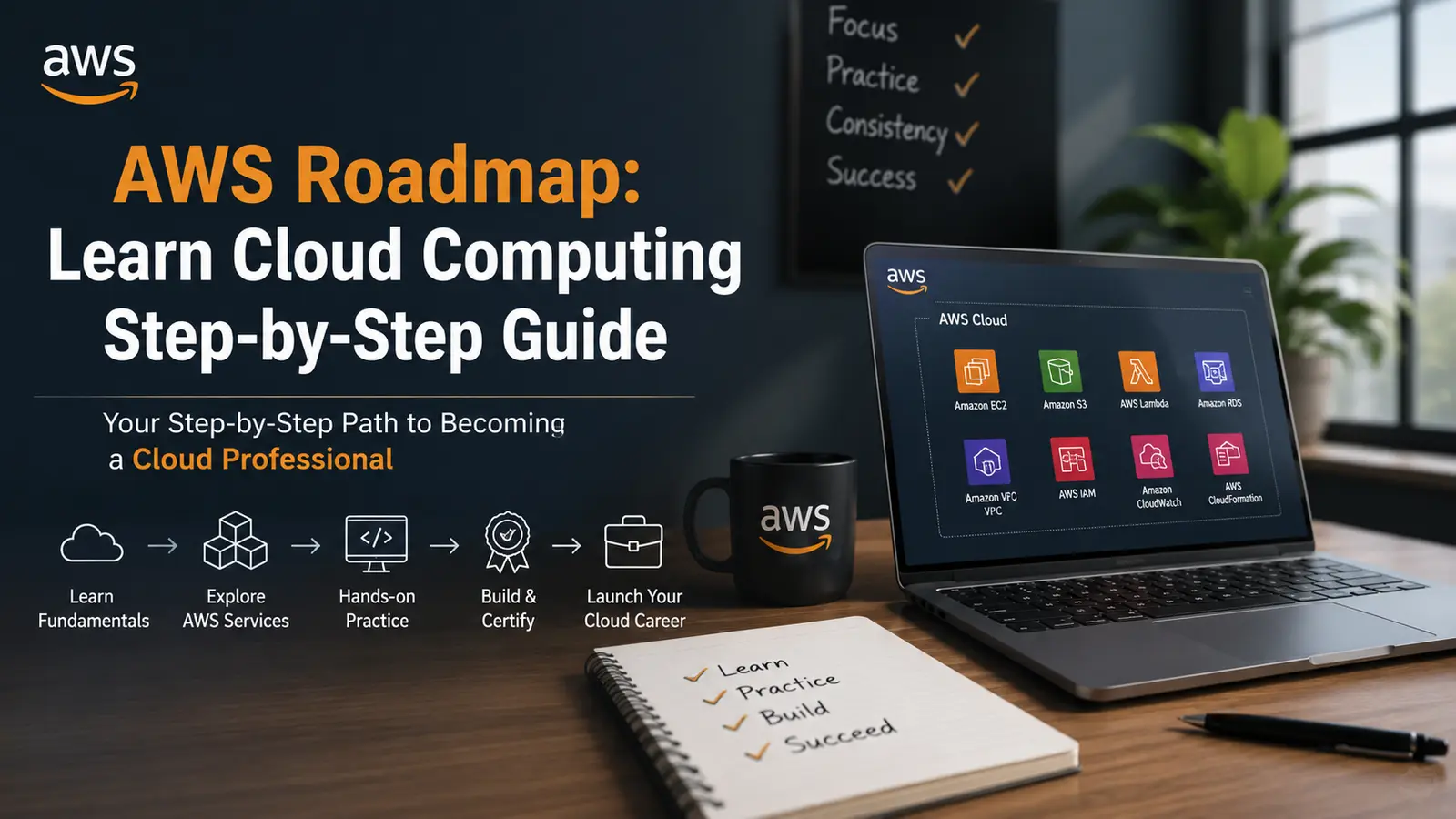
You want to learn AWS. Good call. Cloud computing isn’t going anywhere, and Amazon Web Services runs somewhere between 30-34% of the entire cloud market. But searching “AWS roadmap” online gives you 50 different answers, most of them either too vague or too overwhelming to actually follow.
Why the AWS cloud roadmap matters more than raw motivation
Plenty of people start learning AWS and quit somewhere around Week 3. Tabs open. Courses half-finished. It’s not a motivation problem. It’s a sequencing problem.
The AWS cloud roadmap I’m laying out here is built on order. You learn IAM before EC2, networking before databases, monitoring before you deploy anything production-grade. Skip that order and you’ll hit walls constantly.
Start here: cloud fundamentals before anything else
Before you touch a single AWS console, spend a week understanding what cloud computing actually is. I mean the mechanics. Virtualization, how data centers work, what “managed services” means versus running your own servers.
Read AWS’s own documentation on the shared responsibility model. Understand it completely. AWS secures the infrastructure; you secure what runs on it. That single concept will save you from a dozen security mistakes later.
The cloud computing roadmap starts with this foundation because everything you build on AWS assumes you already get it.
Phase 1: core services (months 1 to 2)
EC2 is your first real stop. Elastic Compute Cloud. Launch an instance, SSH into it, install something, terminate it. Do this 10 times until it’s boring.
Then IAM. Identity and Access Management is the most underestimated service in all of AWS. Users, roles, policies, permissions boundaries. Set up MFA on your root account the day you create it. Learn the principle of least privilege and apply it to every user and role you create from this point forward.
S3 comes next. Buckets, objects, permissions, static website hosting. S3 is everywhere. You’ll use it constantly.
VPC is where most beginners slow down. Virtual Private Cloud, subnets, route tables, internet gateways, NAT gateways. It’s abstract until you’ve broken something because your security group was wrong and then it clicks permanently. Expect this phase to take 5 to 7 weeks if you’re learning part-time.
Phase 2: get the AWS certified cloud practitioner first
The AWS cloud computing roadmap should include at least one certification early. The Cloud Practitioner exam (CLF-C02) is your entry point.
It covers the basics across compute, storage, networking, billing, and security. The exam is multiple choice, costs $100, and you can study for it in 4 to 6 weeks. Resources like Adrian Cantrill’s course or Stephane Maarek on Udemy are solid. Practice exams from Tutorials Dojo are worth every cent.
Passing it doesn’t make you an expert. It proves you can think in AWS terms. That matters more than it sounds.
Phase 3: the AWS solutions architect associate
This is where the Amazon roadmap gets serious. The SAA-C03 is the exam most employers ask about. It covers architectural design, not just knowing what services exist.
You’ll dig into high availability design with Auto Scaling and Load Balancers, RDS and Aurora for relational databases, Route 53 for DNS, CloudFront for content delivery, and SQS/SNS for messaging.
The real skill the exam tests is tradeoffs. Should you use Spot Instances or On-Demand? Multi-AZ RDS or Read Replicas? Lambda or EC2? These aren’t trick questions. They test whether you understand cost, performance, and reliability well enough to pick the right tool for a specific situation.
Plan 2 to 3 months of focused study here. Build things. Tear them down. Read the well-architected framework whitepaper. It’s long and worth it.
Phase 4: hands-on projects that actually matter
Certifications are theory. Projects are proof. The AWS roadmap has to include building real things.
Deploy a three-tier web application: EC2 for compute, RDS for the database, S3 for static assets, a load balancer in front. Do it manually first so you understand every piece. Then blow it away and rebuild it with CloudFormation or Terraform so you understand infrastructure as code.
Set up CloudWatch alarms. Configure billing alerts so you don’t wake up to a $300 bill because you forgot an NAT Gateway running. Add VPC Flow Logs and understand what you’re looking at.
Make a mistake in production (your personal project counts). Nothing teaches AWS networking like debugging why your Lambda function can’t reach an RDS instance in a private subnet.
Phase 5: pick a specialization
The AWS cloud roadmap branches here. AWS has 200+ services and nobody learns all of them well. Pick a lane.
DevOps path: CodePipeline, CodeBuild, CodeDeploy, ECS, EKS, and getting comfortable with Docker. This is what engineering teams hire for most aggressively.
Data and analytics path: Redshift, Glue, Athena, EMR, Kinesis. If you’re coming from a data background, this is your natural home.
Security path: GuardDuty, Security Hub, AWS Config, Macie, and a very deep understanding of IAM. Security engineers with AWS expertise are in short supply.
Serverless path: Lambda, API Gateway, DynamoDB, Step Functions, EventBridge. Serverless is where a lot of modern architecture is going, and it’s genuinely fun to build with.
The cloud computing road map doesn’t require mastering all of these. Pick one, go deep, and the others become easier to pick up later because the underlying concepts transfer.
Phase 6: advanced certifications worth your time
After the Solutions Architect Associate, the next step on the Amazon roadmap depends on your path.
The AWS Certified DevOps Engineer Professional (DOP-C02) is the gold standard for DevOps practitioners. The AWS Certified Solutions Architect Professional (SAP-C02) is genuinely hard and highly respected. Either one takes 3 to 5 months of serious prep.
Specialty certifications like the Security Specialty (SCS-C02) or Machine Learning Specialty (MLS-C01) are worth it if you’re specializing. They’re not vanity badges; employers treat them as evidence of real depth.
Don’t chase certifications for their own sake. Get the ones relevant to what you want to do. The AWS cloud computing roadmap serves your career, not the other way around.
The tools that will speed up your learning
AWS Free Tier is your lab. You get 750 hours of EC2 t2.micro per month for the first year. Use them.
Set up AWS Organizations early if you’re managing multiple accounts. Use AWS Config to understand what’s in your environment. Install the AWS CLI and learn it. Console clicking is fine for learning; CLI and scripts are how real work gets done.
CloudTrail is non-negotiable from Day 1. Every API call in your account gets logged. When something breaks or gets misconfigured, CloudTrail is how you find out what happened and when.
Common mistakes to skip
Most people on the cloud computing roadmap make the same errors. Skipping networking. Treating IAM as an afterthought. Never reading error messages carefully. Forgetting to set billing alarms until they get a surprise invoice.
Also, don’t learn 5 things at surface level. Learn 1 thing until you could explain it to someone else, then move on. Depth first. That’s what separates someone who passes exams from someone who can actually architect systems.
How long the AWS roadmap realistically takes
6 months gets you from zero to Solutions Architect Associate if you’re putting in 8 to 10 hours a week. A year gets you to a professional-level certification plus real project experience. 18 months of consistent work puts you in a position to work as a cloud engineer or architect.
These aren’t conservative estimates to manage expectations. They’re honest. Companies hire junior cloud engineers with 6 months of focused learning and a certification. It happens regularly.
The AWS cloud roadmap works when you follow the sequence, build actual things, and don’t try to shortcut the foundation. That’s it.
Conclusion
Most people sit on the AWS roadmap for weeks, waiting to feel confident enough to begin. That confidence doesn’t show up before you start. It shows up after your 3rd broken deployment and your 2nd late-night debugging session.
The cloud computing roadmap laid out here is a sequence, not a syllabus. You don’t need to memorize it. You need to do Phase 1, then Phase 2, then the next thing. That’s the whole system.
Learn more:- 50 AWS Interview Questions & Answers 2026